



(23,- Kc)
Pozadavky: Android 2.3.3 a vyšší
Popis: Looking for smart cover for Android?
Now, you can use a normal cover with this app, the cover just becomes the smart cover. Just open/close the cover to turn screen on/off.
Or you can just turn screen on/off just by touch the proximity sensor.
Screen:
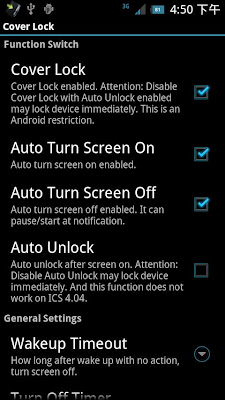
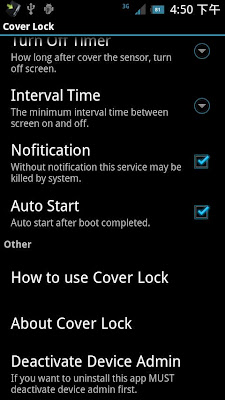
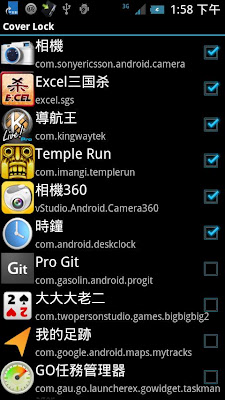
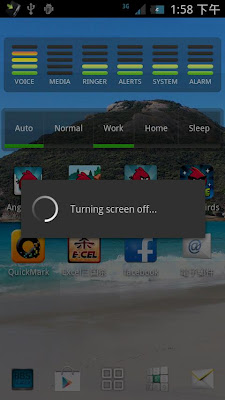
Video:
What's in this version:
This app may not compatible with Android 4.4.
Something changed...
v 1.8.5
Adjust Russian language
Thank s Андрей Кравцов
v 1.8.4
Add Spanish language (Thanks Manuel García.)
(I use force screen off after turning screen on without unlock, so even if you touch the screen, the screen also will turn off unless finishing unlock. Because Android 4.1.2 and 4.2 have wakelock bug. It doesn't auto turn screen off.)
Android 4.3 has a bug for keyguard, so auto unlock will not be used.
Vice info:
Kód: Vybrat vše
https://play.google.com/store/apps/details?id=com.omd.coverlockKód: Vybrat vše
http://ul.to/4tozh044
http://unlimitzone.com/vy1k4qyt6ztk/CLAP185.zip.html
https://www.tusfiles.net/30jpd3tgjsy5
http://www57.zippyshare.com/v/61031008/file.html
http://www.tusfiles.net/210p9omxnr4n
http://uloz.to/xhtudweW/cover-lock-v1-8-5-apk
http://ulozto.sk/xhifEHP3/cover-lock-v1-8-5-apk1.Auto turn screen on
2.Auto turn screen off
3.Auto Pause screen off function by app
4.Auto Pause screen off function by horizontal screen
5.Auto unlock
6.Screen off tips.
7.Pause screen off function by shortcut or notification.
8.Turn screen off by Widget.
9.Auto stop at sleeping time,and restart after sleep.
10.double touch proximity sensor to turn screen on
11.auto pause at phone call
P.S.
1. After running big app system may kill this app, you can use shortcut or notification to restart this app.
2. When leaving app using back button not home, otherwise the setting page may show again when screen on.
3 If you want to uninstall this app MUST deactivate device admin first.
4. I use force screen off after turning screen on without unlock, so even if you touch the screen, the screen also will turn off unless finishing unlock. Because Android 4.1.2 and 4.2 have wakelock bug. It doesn't auto turn screen off.
If you just want auto screen on, you can use my another app "Auto Screen On", it has g-sensor and proximity sensor to screen on, and has log function to watch how the app work. And it's free and no ads.
Some tablet may not have proximity sensor, please check it first. If the device doesn't have proximity sensor, it would show "the device doesn't have proximity sensor".


