



(730,- Kc)
Pozadavky: Android 1.6 a vyssi
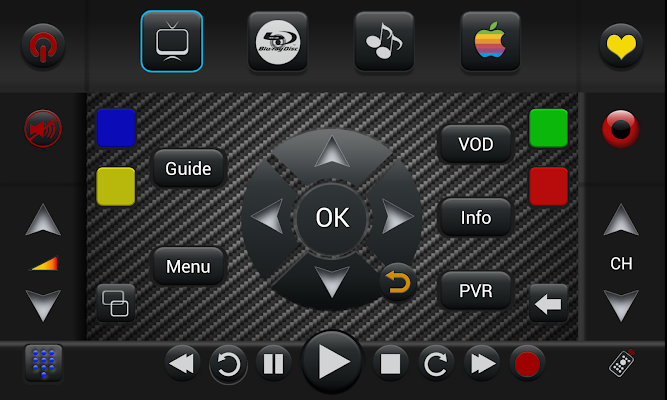
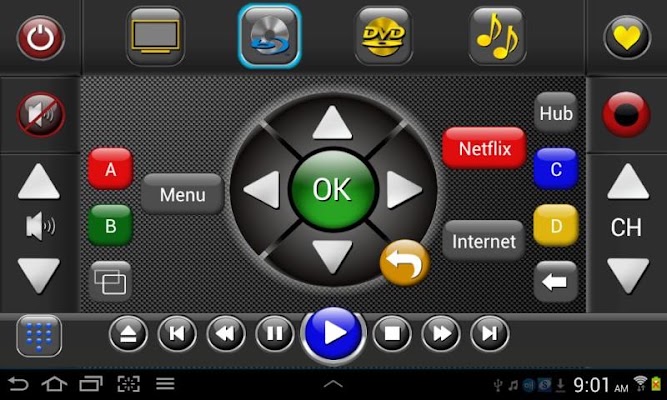
Popis: Unleash the full potential of your Samsung or Sony tablet and the built in IR transmitter with this professional grade remote app. Nothing else to buy to get full control of your home theater system. Replaces up to 15 remotes!
Uses infrared and/or IP control.
Screen:
Video:
What's in this version:
IP Control of many devices via Wif-Fi
An excellent setup tutorial is at:
http://www.touchsquid.com/SetupTS4.pps
Changelog at Touchsquid.info
Dulezite info:
Použijte jakékoliv sériové číslo, e-mailovou adresu a název a klepněte na tlačítko aktivovat
xxxx-xxxx-xxxx-xxxx (where xxxx is replace it to your liking)
Spravny priklad: abcd-efgh-1234-5678 (working)
Spatny priklad: abcdefgh12345678 (not working/wont activate)
Vice info:
Kód: Vybrat vše
https://play.google.com/store/apps/details?id=remote.touch.samsungStahuj zde:
Kód: Vybrat vše
http://uloz.to/xHGkTZW4/touchsquid-pro-remote-v4-38-4allmobile-eu-apk
https://mega.co.nz/#!nUAmgJTR!YnWqq3OWMGy4tDrcr5vK3iuUvKoFTCnFrwKiG_gjBME
http://www58.zippyshare.com/v/7405121/file.htmlStahuj zde:
Kód: Vybrat vše
http://uloz.to/xMC9HrKw/touchsquid-widget-v1-7-4allmobile-eu-apk
https://mega.co.nz/#!GEBAzKYZ!OcgZnGe-n71IyyfmUj3DszQzdc9RbQ2qMAZ8oQeV5Xw
http://www58.zippyshare.com/v/88244212/file.htmlControls TVs, Set Top Boxes, DVD and Bluray players, CD and VCR, Receivers and amplifies, Soundbars, Game boxes and Media managers.
Supported Android devices:
Samsung Galaxy S4 in portrait mode
Samsung Tab 2 7 and Tab 2 10
Samsung Note 8 and Note 10.1
NEW Samsung Galaxy Tab 3 also supported
Sony Tablet S, Xperia S, Z and ZL(phone)
Works best on devices that have built in infrared transmitter (IR), otherwise you need an external IR blaster such as those made by Global Cache, Keene and IRTrans.
A built in database of over 325,000 devices makes it likely the codes for all your devices are already available, but if not, our outstanding support staff will help you find them.
The TouchSquid app is activity based, where all controls for a particular activity are grouped on one screen. For example, Watch TV. This might involve a TV or projector, a cable box, and and audio amplifier. One screen will change channels and find content with the cable box, control sound on the amp and control the picture on the TV.
When choosing an activity, all involved devices are switched on and inputs switched so you are up and running with a single button.
You can define custom buttons and assign any command to them, including multi-command macros. Default buttons can be reassigned or hidden.
The Favorites screen is the best in the business. You can assign 900+ favorites on screens of 24 each and choose from thousandss of included high quality channel icons. You can also add your own or download from iconharmony.com.
Favorites can be Channels, Web Sites, or custom commands, including macros.
There are also Power Up Macros, Power Down macros and Activity macros.
You can save multiple home theater profiles so you can use one Samsung Tablet in many locations, even different homes, without re-programming.


