Pozadavky: Android 2.1 a vyssi
Popis: Snimani obrazovky bez potreby ROOTu.
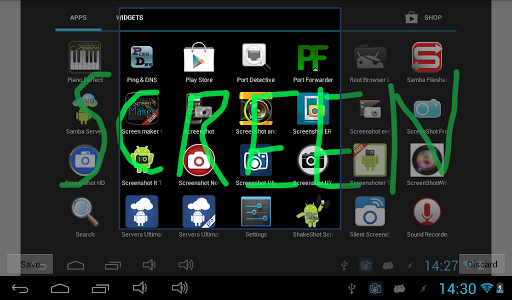
Screen:
What's in this version: (Updated : Oct 29, 2012)
Fixed some bugs in the screen capture methods which caused a partial or no screenshot
Fixed a lot of other bugs
Added new features (just have a look at the settings page)
Vice info:
Kód: Vybrat vše
https://play.google.com/store/apps/details?id=com.icecoldapps.screenshotultimateproKód: Vybrat vše
http://uloz.to/xkDL6bG/screenshot-ultimate-pro-v2-3-6-apk
http://www.directmirror.com/files/QQELOCIN
http://www.embedupload.com/?d=3YIMQSFZYHNow you can take a snapshot easily on your Android device (no root required: read the faq how). Take screenshots on your tablet, phone or other Android device without ads!
Share, draw, add text to a screenshot or even send/edit multiple screenshots!
**If you can’t get the app to work please email us and don’t post it in the reviews since we can’t respond to reviews. Thanks.**
Why is Screenshot Ultimate Pro the perfect screen capture app? Well, it has the most features and we support over 10 different capture methods. So if this app can’t take a screenshot no other screenshot app will!
We support rooted and non-rooted devices; however, if you have a non-rooted phone you might have to run a small app on your computer to enable screen shooting functionality. Read the FAQ for more information.
Since there are way too many features, only a few have been mentioned below.
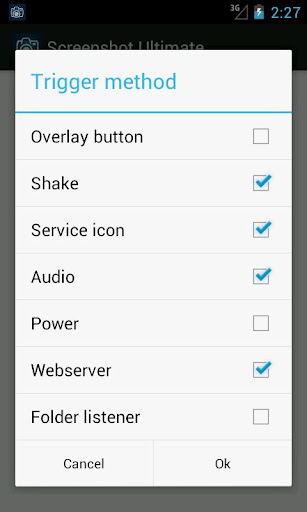
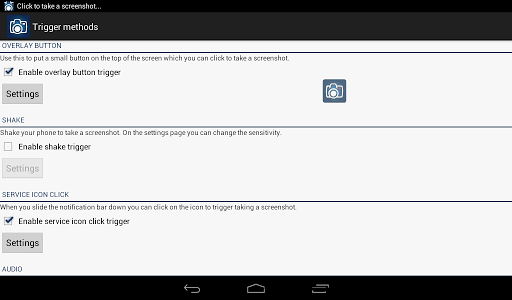
Trigger methods:
- Overlay icon which is visible on top of all screens (icon, button or custom icon)
- Shake
- Service icon click
- Audio
- Power connect/disconnect
- Folder listener
- Webserver
- Camera hardware button
- Long click search hardware button
- Custom shortcut
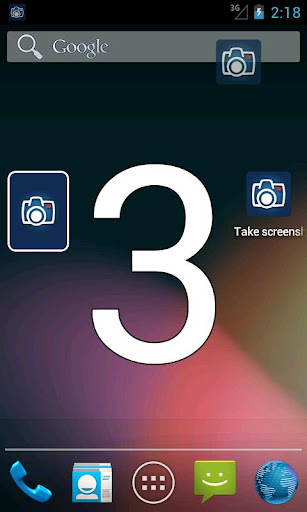
- Widget button
- Button inside the app
For every trigger separately you can set: what to do after the screen taking, vibrate, sound, toast, timeout, show countdown and more!
Features:
- Edit taken screenshot: draw, add text, crop, add information (android version, wifi ip, date/time, etc), rotate, mirror, switch colors, overlay an image, use your own editor
- Share taken screenshot: Use your custom app for sharing (Email, Picasa, Memo, etc), or upload to Imgur, Glowfoto, ImageShack, POST to server, TwitPic, Tumblr
- View all taken screenshots and select multiple for sending, create zip, edit and more!
- Automatically apply "Screenshot Adjustments" to every taken screenshot (switch colors, rotate, mirror, add text, crop, overlay image)
- Multiple capture methods (over 10) with an auto detect option so you can select the best option
- Set default save folder and filename
- Set image format
- Set optional custom shutter sound
- Trigger media scan
- View / Send log
- More!