


Požadavky: Android 2.3+
Popis:
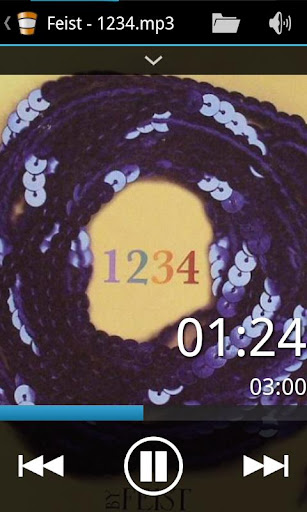
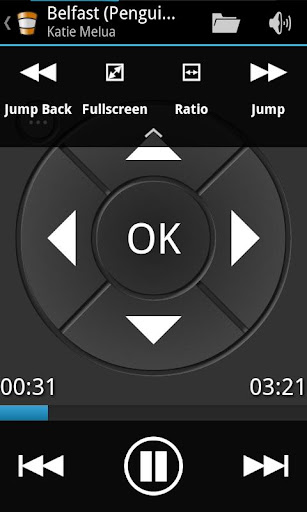
With VLC Super Duper Remote PRO you are able to control your VideoLAN Client (VLC) with your Android device.
STEP 1:
Inside VLC go to "Tools >> Preferences" and enable "Show settings >> All" in the bottom left corner
STEP 2:
Inside "Interface >> Main interfaces" check "Lua interpreter" and "Web" if necessary, listed in "Extra interface modules"
STEP 3:
Modify VLC's .hosts file to not allow access from localhost only, if necessary
STEP 4:
Inside app: Select 'Change Server' from menu
STEP 5:
Select 'Add' and add a server.
STEP 6:
Select the added server.
STEP 7:
Be a potatoe and use your coach!
STEP 8:
Review the application!
Features:
- Play, Pause, Stop
- Control volume
- Control Timeline
- Control aspect ratio, fullscreen, audio tracks, subtitle
- Skip buttons
- Next, Previous buttons
- DVD-Control
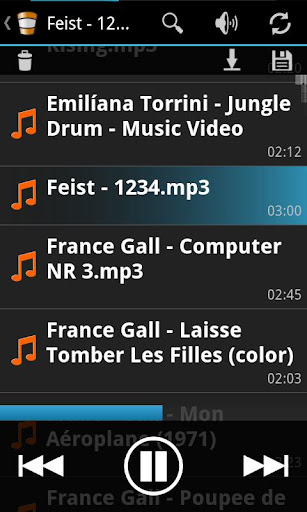
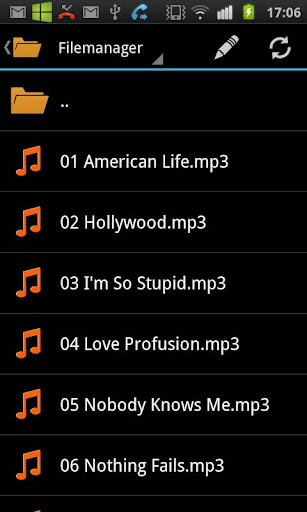
- Filemanager
- Synchronize with player's playlist
- Pause on incoming calls
- Save/Load playlist on device
- *HomeMedia support
- *Start player remotely
- Widgets
- Wake on LAN feature
- Ad free
- Full Voice Control
* This feature needs a correctly installed HomeMedia on the computer and correctly set up HomeMedia app on the Android device.
Extra features in PRO version:
- Widgets
- Ad free!
- Full Voice Control
Další info:
Kód: Vybrat vše
https://play.google.com/store/apps/details?id=aberl.vlc.pro.moteKód: Vybrat vše
http://www27.zippyshare.com/v/46911870/file.htmlKód: Vybrat vše
http://www.embedupload.com/?d=20GTGGVWRR
http://uploadmirrors.com/download/WEMZJL62/VLC_SDR.apk





