



(65,- Kc)
Pozadavky: Android 4.0.3 a vyssi
Popis: The Audio Converter will convert nearly any media file to the audio format of your choice!
The Audio Converter can convert music, audio, or video files to MP3, M4A, AAC, FLAC, MMF, OGG, WAV, and WMA!
Screen:
What's in this version:
- nova aplikace, na GP se zatim neuvadi
Vice info:
Kód: Vybrat vše
https://play.google.com/store/apps/details?id=com.ghostmobile.theaudioconverterKód: Vybrat vše
http://uloz.to/xDSLzdrQ/the-audio-converter-v1-03-2-www-4allmobile-eu-apk
http://ulozto.sk/xCdqF3nZ/the-audio-converter-v1-03-2-www-4allmobile-eu-apk
https://webshare.cz/file/15k6j13ss5/the-audio-converter-v1-03-2-www-4allmobile-eu-apk
The Audio Converter will convert nearly any media file to the audio format of your choice!
The Audio Converter can convert music, audio, or video files to MP3, M4A, AAC, FLAC, MMF, OGG, WAV, and WMA!
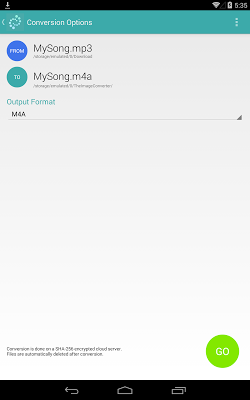
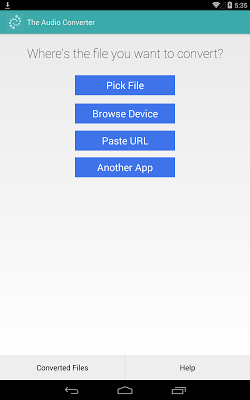
1. Select your input file form your device, from another app, or from a URL.
2. Choose your output file format.
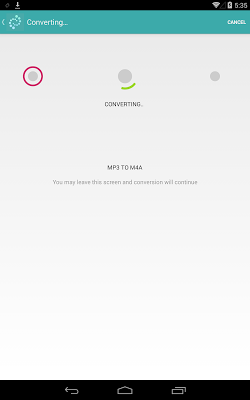
3. Convert!
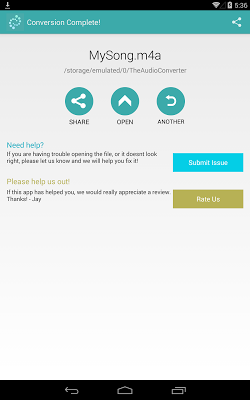
4. Open and Share your file right from the app!
The Audio Converter can convert FROM just about any format (including WMA, AAC, MP3, WAV, FLAC, OGG, AVI, WMV, MP4, MOV, 3GP, etc) TO the following formats:
MP3, M4A, AAC, FLAC, MMF, OGG, WAV, and WMA!
Extract audio from video files, or even convert music that won't work on your device!
You can even convert files from video messages (MMS), web downloads, URLs, and your own camera!
If you have any trouble, there is an in-app support chat, and we offer a money-back guarantee! Don't worry about the 15 minute limit - We will refund you at ANY TIME if you are not happy with this app, just email us!
Access all your converted files through the in-app file browser, or with the file manager of your choice!
After audio conversion is complete, you can open and share the file, and have access to all your converted files.
Conversion is done on a secure server, which makes conversion easier and more battery-friendly. You must have an internet connection to use this app. Files are SHA-256 encrypted and immediately deleted from the server upon conversion.
Read and open files that Android devices can't open! Convert music on the go without a computer!
Note: Files must be under 1GB.
Note: Your files will be sent to an SHA-256 encrypted, secure conversion server for conversion. While the files are encrypted, and immediately deleted after conversion or cancellation, you should be aware that by using this app, you agree that your files are sent over to internet to the conversion server.


