



Pro features unlocked
Pozadavky: Android 4.0 a vyssi + ROOT + accelerometer sensor
Popis: Tilt-Scroll is a revolutionary application for rooted android devices, which adds a system-wide Tilt-to-scroll feature to your phone or tablet, so it works with any application on your device.
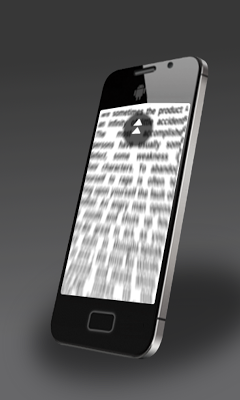
Tilt-Scroll allows you to make the screen go upwards or downwards or sidewards just by tilting your smartphone .
You don't need to wait for your preferred application to implement tilt scrolling feature; All you need is "Tilt Scroll", so get it now.
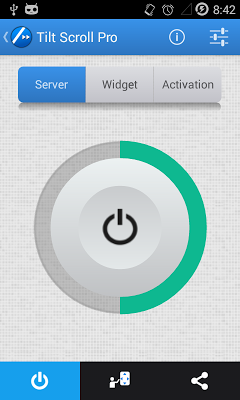
Screen:
Video:
What's in this version:
1.13.18:
+ Fixed bugs.
1.13.0:
+ Updated the interface theme.
1.12.0:
+ Added shortcuts to notification.
+ Added permanent activation.
+ Added deactivation settings.
Vice info:
Kód: Vybrat vše
https://play.google.com/store/apps/details?id=com.tafayor.tiltscroll.freeKód: Vybrat vše
http://www.tusfiles.net/7o242aeyneo1
http://unlimitzone.com/g846wa2jki8y/com.tafayor.tiltscroll.free-1.13.17.zip.html
http://uloz.to/xXUiFDhn/tilt-scroll-pro-root-v1-13-17-unlocked-apk
https://webshare.cz/file/1pi642yJ65/tilt-scroll-pro-root-v1-13-17-unlocked-apk
✓ Scroll the screen by tilting your phone.
✓ Scroll vertically and horizontally.
✓ Select a scrollable area (when there is more than one on the screen)
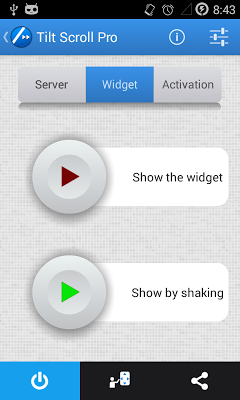
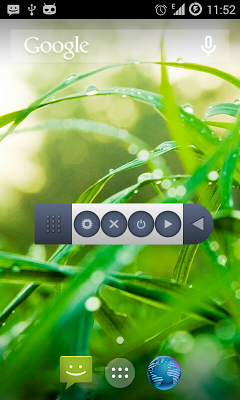
✓ Activate scrolling using the widget which is always available on your screen.
✓ Show the widget by shaking your phone
✓ Activate scrolling by touching a Hotspot on screen.
✓ Activate scrolling by shaking your phone.
✓ You can scroll the screen if it's scrollable, no matter which application is running.
✓ No ads.
+ Automatic mode :
✓ Scroll by tilting your phone in the desired direction followed by a tilt in the opposite direction.
If you want to stop scrolling, you simply reverse the order of the previous tilts.
✓ Accelerate and decelerate the scroll speed using the volume buttons.
☆ Instantly scroll to the top or bottom of the document using the volume buttons.
+ Manual mode :
☆ Scroll by tilting further from the start position, and stop scrolling by bringing back the phone to the start position.
✓ Using a constant speed.
[ Pro features ]
✓ Adjust the speed of scrolling.
✓ Adjust the acceleration and the deceleration of scrolling.
+ Automatic mode :
✓ Accelerate and decelerate the scroll speed, using tilts.
✓ Instantly scroll to the top or bottom of the document, using tilts.
+ Manual mode :
✓ The speed depends on the tilt angle.
✓ Accelerate and decelerate the scroll speed using the volume buttons.
✓ Instantly scroll to the top or bottom of the document using the volume buttons.


