



Pozadavky: Android 2.2 a vyssi
Popis: Tinycore adds a tiny bar to a custom place on you screen. This 'usage-bar' or in other words monitor, tells you the live CPU usage, CPU frequency or Ram usage. This awesome gadget is completely customizable and can even show the individual usages of the CPU cores.
This app is completely designed to be lightweight and to be in original Android Holo style. This tiny app has no noticeable impact on the system performance or battery usage!
Screen:
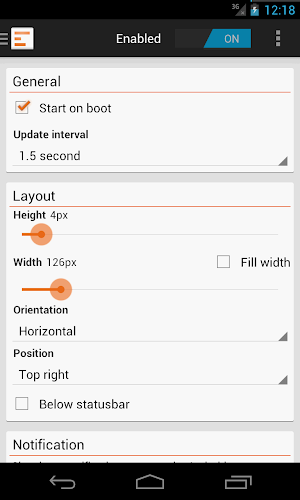
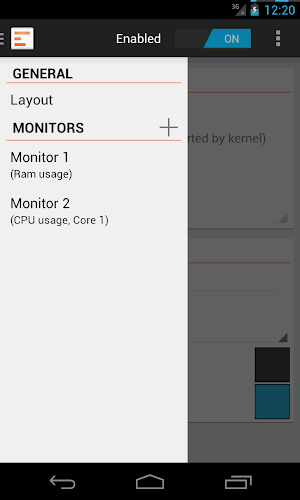
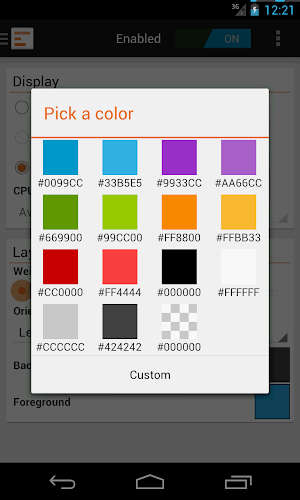
What's in this version:
Announcing Tinycore 2.0
• Multiple monitor support! Add up to 8 monitors in your status-bar, display ram and CPU at the same time.
• Even more features available to free users.
• New app design and logo.
• Option to show all cores at once, or just one core of your choice.
• And many more!
Vice info:
Kód: Vybrat vše
https://play.google.com/store/apps/details?id=org.neotech.app.tinycoreKód: Vybrat vše
http://www71.zippyshare.com/v/45991385/file.html
http://www.tusfiles.net/bg1iz0qgy3mf
http://uloz.to/xNHjTiBZ/tinycore-cpu-memory-monitor-pro-2-0-apk
http://ulozto.sk/xTdmJxiQ/tinycore-cpu-memory-monitor-pro-2-0-apk
• Choose from displaying CPU usage, CPU frequency or Ram usage
• Choose your own width and height
• Customize the foreground and background color
• Choose the location on your screen
• Customize the orientation
• Set your own update-interval
• Choose to display each CPU core in the 'usage-bar'
• Choose to display the 'usage-bar' below the status-bar
Some more options and features
• Lightweight and in Holo style
• Compatibility from Android 2.2 up to 4.2
• Dark theme for the people who really hate light themes
• Multi-core support (up to 4, 8 and even higher)
• Option to show an ongoing notification so the monitor will never be killed
FAQ
• Do i lose full version features when removing and re-installing the app, or getting a new phone?
Answer: No, order data is stored on your Google account, and restored when re-installing the app.
Permissions
• RECEIVE_BOOT_COMPLETED
This permission is used to start the app automatically when your phone boots
• SYSTEM_ALERT_WINDOW
Must have permission for this app, without this permission the app is not capable of showing the 'usage-bar' or monitor


