Fast Burst Camera-Black Screen
Napsal: 01. 09. 2012 17:09
Fast Burst Camera-Black Screen v1.7
(40,- Kc)
Pozadavky: Android 2.3.3 a vyssi
Popis: Aplikace fotoaparatu pro ryhle porizeni nekolika snimku za sebou
Screen:


Video:
Vice info:
Stahuj zde:
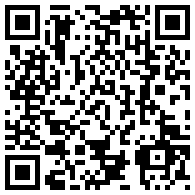
QR code download:
silence, fast, quick burst camera, continuous shooting, mute, black screen
[Key Features]
1. Continuous quick shooting
2. Silent shooting
3. Shooting with a black screen
4. Delete icon/ Using Power button(On screen locked)
- Delete all the pictures in that folder
5. Show image : Video mode/Gallery
6. Specify the storage folder
Have you ever woke up your lovely baby by camera shooting sounds while taking picture of your baby?? Do not worry anymore, this App produce no shooting sounds.
If you take a group photo, there might be at least a person with closed eyes.
You can countinuously take multiple pictures with this App, so you can choose pictures that no one has closed eyes.
This App is right one for you, If you want to take multiple pictures in time of certain durations.
This App will continuously take multiple pictures as many as possible within maximum hardware specs of your smartphone.
The resolution support would be differ by device due to preview function.
So, You might not be able to take maximum resolution.
Available maximum size of preview is resolution of screen.
With Samsung Galaxy Note, you are able to take maximum of 15 pictures continuousely in resolution of 1280 x 800 per second. With lower resolution, you are able to take maximum of 25 pictures continuousely. It would be differ by device. It uses silent mode to save power, and you can dim screen as needed.
If you take many photos, the App could possibly be stopped because this App would use extremely high level of phone memory to secure memory needed.
We recommend you to find optimum setting thru several tests not to make the App stopped.
If your App stopped and not restarted, you should choose [Clear Data] to initialize all settings at TaskManager. Then, the App will work.
If you choose [Clear Mamory] TaskManager -> Ram before use App, you are able take more picture.
(40,- Kc)
Pozadavky: Android 2.3.3 a vyssi
Popis: Aplikace fotoaparatu pro ryhle porizeni nekolika snimku za sebou
Screen:
Video:
Vice info:
Kód: Vybrat vše
https://play.google.com/store/apps/details?id=nicehee.micromotionKód: Vybrat vše
http://www.directmirror.com/files/UCRLGJSF
http://www.embedupload.com/?d=8XEBA2JWGIsilence, fast, quick burst camera, continuous shooting, mute, black screen
[Key Features]
1. Continuous quick shooting
2. Silent shooting
3. Shooting with a black screen
4. Delete icon/ Using Power button(On screen locked)
- Delete all the pictures in that folder
5. Show image : Video mode/Gallery
6. Specify the storage folder
Have you ever woke up your lovely baby by camera shooting sounds while taking picture of your baby?? Do not worry anymore, this App produce no shooting sounds.
If you take a group photo, there might be at least a person with closed eyes.
You can countinuously take multiple pictures with this App, so you can choose pictures that no one has closed eyes.
This App is right one for you, If you want to take multiple pictures in time of certain durations.
This App will continuously take multiple pictures as many as possible within maximum hardware specs of your smartphone.
The resolution support would be differ by device due to preview function.
So, You might not be able to take maximum resolution.
Available maximum size of preview is resolution of screen.
With Samsung Galaxy Note, you are able to take maximum of 15 pictures continuousely in resolution of 1280 x 800 per second. With lower resolution, you are able to take maximum of 25 pictures continuousely. It would be differ by device. It uses silent mode to save power, and you can dim screen as needed.
If you take many photos, the App could possibly be stopped because this App would use extremely high level of phone memory to secure memory needed.
We recommend you to find optimum setting thru several tests not to make the App stopped.
If your App stopped and not restarted, you should choose [Clear Data] to initialize all settings at TaskManager. Then, the App will work.
If you choose [Clear Mamory] TaskManager -> Ram before use App, you are able take more picture.