Jump Desktop (RDP & VNC)
Napsal: 20. 08. 2012 14:06
Jump Desktop (RDP & VNC) v4.0.8
Požadavky: Android 2.2+
Popis:
Jump Desktop is a remote desktop application that lets you control your computer from your phone or tablet. Compatible with both RDP and VNC, Jump Desktop is secure, reliable and very easy to set up. The streamlined user interface gives you the best possible remote desktop experience on any of your mobile and tablet devices.
Features:
✓ Multi-protocol: supports RDP and VNC
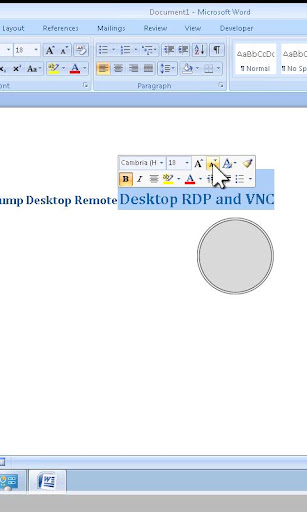
✓ Multi-touch ready: Pinch-zoom, two finger scrolling, mouse dragging all supported. Even three finger taps are supported to quickly show and hide the keyboard.
✓ Easy and secure setup: Automatically configure your PC or Mac for remote access using Wi-Fi and 3G without worrying about your router settings. Set up as many computers as you like and manage them all using your Google account (optional)
✓ SSH Tunnel support (new!)
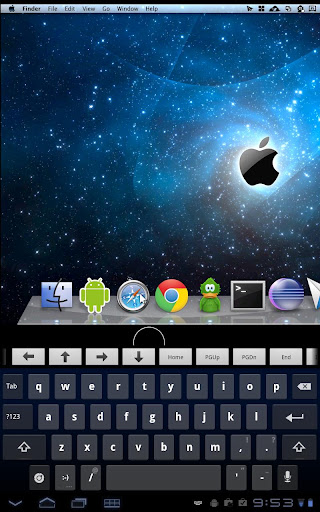
✓ The best external keyboard and mouse support on Android: Supports all external keyboard keys and shortcuts. Right mouse clicks supported too with external mice - all natural, PC like!
✓ Universal application: Works on tablets and phones - buy it only once and use it on all your Android devices
✓ Full support for multitasking: Switch to other apps without disconnecting
✓ Supports large custom screen resolution
✓ Full mouse support: left and right clicks, dragging, scrolling, precision pointer movement
RDP features:
✓ Tested on: Windows 2000, XP, Vista, Windows 7, Server 2003, Server 2008, Server 2008 R2, SBS Server
✓ Secure: 40/56/128bit RDP, TLS/SSL, FIPS and NLA authentication support
✓ Supports 8, 16 and 24-bit colors and all RDP performance options
✓ Multiple monitor support on Windows 7 and above
✓ Console sessions
✓ Audio streaming
VNC features:
✓ Tested with Mac OS X, TightVNC, RealVNC, UltraVNC, Linux (Ubuntu Remote Desktop)
✓ Secure: Supports SSL encryption when used with Jump's automatic setup instructions:
✓ 8 and 16-bit color
✓ OS X Screen Sharing support
✓ Multiple monitor support
✓ Supported encodings: copyrect, zrle, tight, (zlib)hextile, zlib, rre, raw, desktop-resize
What's in this version:
Fixed: Shift key may not work on hardware keyboards with VNC connections
Fixed: RDP connections to Windows Server may not connect occasionally
Previous:
Fixes an issue where the back button would not disconnect on some devices
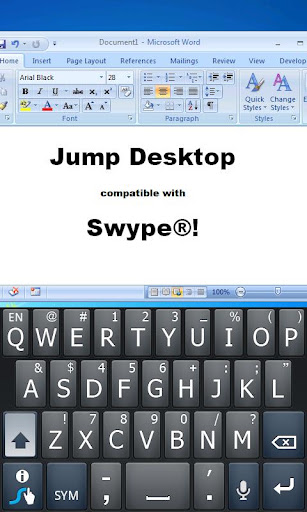
Auto correct support for faster typing (tap the pen icon).
Fullscreen mode for docked configurations.
Better physical mouse support on Honeycomb and ICS.
Další info:
Download:
Mirror:
Požadavky: Android 2.2+
Popis:
Jump Desktop is a remote desktop application that lets you control your computer from your phone or tablet. Compatible with both RDP and VNC, Jump Desktop is secure, reliable and very easy to set up. The streamlined user interface gives you the best possible remote desktop experience on any of your mobile and tablet devices.
Features:
✓ Multi-protocol: supports RDP and VNC
✓ Multi-touch ready: Pinch-zoom, two finger scrolling, mouse dragging all supported. Even three finger taps are supported to quickly show and hide the keyboard.
✓ Easy and secure setup: Automatically configure your PC or Mac for remote access using Wi-Fi and 3G without worrying about your router settings. Set up as many computers as you like and manage them all using your Google account (optional)
✓ SSH Tunnel support (new!)
✓ The best external keyboard and mouse support on Android: Supports all external keyboard keys and shortcuts. Right mouse clicks supported too with external mice - all natural, PC like!
✓ Universal application: Works on tablets and phones - buy it only once and use it on all your Android devices
✓ Full support for multitasking: Switch to other apps without disconnecting
✓ Supports large custom screen resolution
✓ Full mouse support: left and right clicks, dragging, scrolling, precision pointer movement
RDP features:
✓ Tested on: Windows 2000, XP, Vista, Windows 7, Server 2003, Server 2008, Server 2008 R2, SBS Server
✓ Secure: 40/56/128bit RDP, TLS/SSL, FIPS and NLA authentication support
✓ Supports 8, 16 and 24-bit colors and all RDP performance options
✓ Multiple monitor support on Windows 7 and above
✓ Console sessions
✓ Audio streaming
VNC features:
✓ Tested with Mac OS X, TightVNC, RealVNC, UltraVNC, Linux (Ubuntu Remote Desktop)
✓ Secure: Supports SSL encryption when used with Jump's automatic setup instructions:
Kód: Vybrat vše
http://jumpdesktop.com/go✓ OS X Screen Sharing support
✓ Multiple monitor support
✓ Supported encodings: copyrect, zrle, tight, (zlib)hextile, zlib, rre, raw, desktop-resize
What's in this version:
Fixed: Shift key may not work on hardware keyboards with VNC connections
Fixed: RDP connections to Windows Server may not connect occasionally
Previous:
Fixes an issue where the back button would not disconnect on some devices
Auto correct support for faster typing (tap the pen icon).
Fullscreen mode for docked configurations.
Better physical mouse support on Honeycomb and ICS.
Další info:
Kód: Vybrat vše
https://play.google.com/store/apps/details?id=com.p5sys.android.jumpKód: Vybrat vše
http://www.MegaShare.com/4492397Kód: Vybrat vše
http://uploadmirrors.com/download/1PRYEJKJ/j408.apk
http://directmirror.com/files/MPDBSOJQ