Journal - Orange Diary
Napsal: 28. 02. 2013 18:27
Journal - Orange Diary v1.51
(38,- Kc)
Pozadavky: Android 2.1 a vyssi
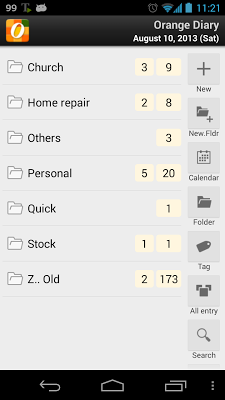
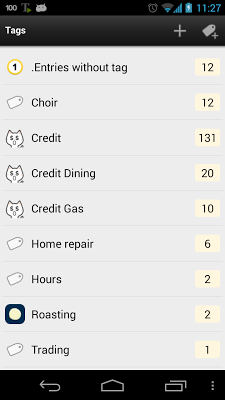
Popis: Manage entries using tags,icons...etc
Screen:


What's in this version:
v1.51
. Revised the program logic for attached image
. Added menu option for shortcut button in main screen
v1.50
. Added maxline setting option for entry list screens.
. Fixed AVG malware warning.
v1.48-49
. Added four new entry shortcut buttons
. Revised entry view screen design
. Fixed icon sub-filter problem in entries by tag screen.
Vice info:
Stahuj zde:
★ Orange Diary Pro ★
Journal + Notepad app
Orange Diary is an easy-to-use daily journal app that helps you organize all your ideas and information in your phone. Orange Diary lets you take journal entries, capture photos, create to-do lists, record voice, etc ....
★ PRO version
Due to Play store policy, you will have only 15-minutes refund window. If you want to try before purchase, check Demo version. search "orangediary"
★ Key features ★
• Manage entries using
. Tags
. Icons
. Entry calendar
. Trash bin
. Reminder (Sound alarm, status notification)
. Template
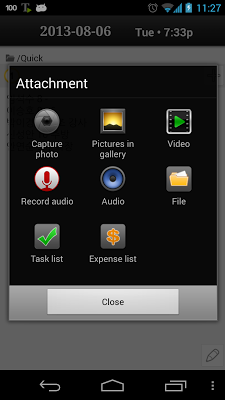
. Attachment
(Photo, image, video, audio, voice recording, tasks, expenses)
• Customize
. Background colors
. Font
. Date/time/currency format
. Text color
. Text size
• Import & Export
. Import from File (Text and CSV format)
. Import from Google Drive
. Export to Email/Text
. Export to Google Drive (Spreadsheet and Document format)
. Export to Google Calendar (individual entry)
. Export to Google Blogger (individual entry)
• Backup & Restore
. Scheduled backup
. Online backup (Dropbox)
. Data transfer
• Others
. App widget (4x1)
. Passcode lock
. Simple task list
. Simple expense list
(38,- Kc)
Pozadavky: Android 2.1 a vyssi
Popis: Manage entries using tags,icons...etc
Screen:
What's in this version:
v1.51
. Revised the program logic for attached image
. Added menu option for shortcut button in main screen
v1.50
. Added maxline setting option for entry list screens.
. Fixed AVG malware warning.
v1.48-49
. Added four new entry shortcut buttons
. Revised entry view screen design
. Fixed icon sub-filter problem in entries by tag screen.
Vice info:
Kód: Vybrat vše
https://play.google.com/store/apps/details?id=com.acj0.orangediaryproaKód: Vybrat vše
http://uloz.to/xkLfdKJ/journal-orange-diary-v1-51-apk
https://mega.co.nz/#!NUZVkBDa!Bz060gdKcG0wMWt103x51SlywrFmCDIfezn_5IXwJU0
http://www35.zippyshare.com/v/45478690/file.htmlJournal + Notepad app
Orange Diary is an easy-to-use daily journal app that helps you organize all your ideas and information in your phone. Orange Diary lets you take journal entries, capture photos, create to-do lists, record voice, etc ....
★ PRO version
Due to Play store policy, you will have only 15-minutes refund window. If you want to try before purchase, check Demo version. search "orangediary"
★ Key features ★
• Manage entries using
. Tags
. Icons
. Entry calendar
. Trash bin
. Reminder (Sound alarm, status notification)
. Template
. Attachment
(Photo, image, video, audio, voice recording, tasks, expenses)
• Customize
. Background colors
. Font
. Date/time/currency format
. Text color
. Text size
• Import & Export
. Import from File (Text and CSV format)
. Import from Google Drive
. Export to Email/Text
. Export to Google Drive (Spreadsheet and Document format)
. Export to Google Calendar (individual entry)
. Export to Google Blogger (individual entry)
• Backup & Restore
. Scheduled backup
. Online backup (Dropbox)
. Data transfer
• Others
. App widget (4x1)
. Passcode lock
. Simple task list
. Simple expense list