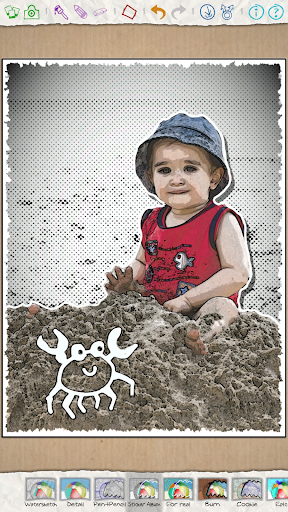
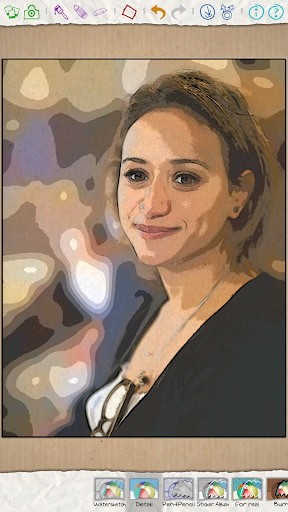
Features:
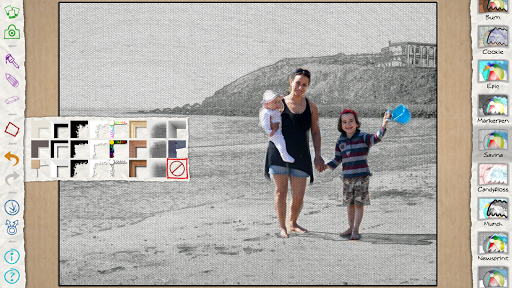
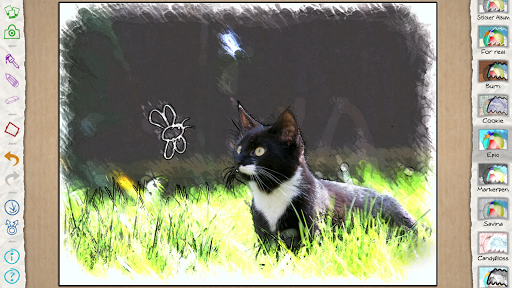
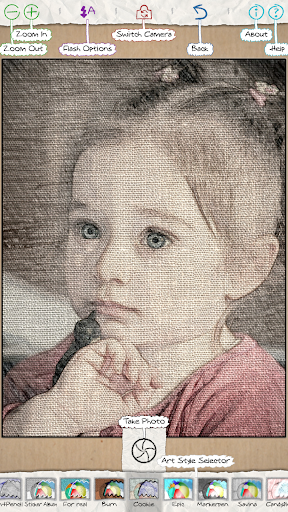
● Choose from over 30 original artistic styles to transform your photo.
● Modify your existing photos, or use the built-in camera.
● Paint with the brush to add a splash of color and other magical effects.
● Write with the pen to add a personal message or a fun design.
● Add a frame or border for that finishing touch.
You won't believe how your precious memory will be transformed into something unique and special.
Share your masterpiece on all your favorite social media sites. Everyone will be amazed!
SAMSUNG DEVICES
This app is preloaded in some Samsung devices, please do not purchase the app if it is already included on your device.
Re: Paper Artist
Napsal: 14. 07. 2013 00:40
od Kamilos
Paper Artist v1.4.14
What's in this version:
1.4.14
- Fixed crash when going into camera mode as the battery was critically low
What's in this version:
1.4.41 - 29 Jan 2014
● Fixed Twitter sharing.
● Removed default caption for shared images.
● Fixed orientation of some Paper Artist Originals images.
● Painting outside the image no longer updates undo history.
● Fix for art style bar sometimes showing the wrong item.
● Localisation fixes.
● Stability fixes.
● Reduced APK size.
● High res app icons.
What's in this version:
1.4.57 - 31 Jul 2014
● Access to camera and sharing can be controlled for restricted profiles
● Support for x86 devices
● Minor bug fixes
1.4.50 - 29 Apr 2014
● Improved some of the filters.
● Minor bug fixes, and improvements to performance and stability.
What's in this version:
● Redesigned user interface
● Zoom and pan, for greater control over painting
● Brand new art styles
● Favourites bar, for quick access to your chosen art styles
● Apply different crops to image
● Selectable image size (small/medium/large) for saving and sharing
● "Peek" button, to compare the before and after versions of your image
What's in this version:
● Redesigned user interface
● Zoom and pan, for greater control over painting
● Brand new art styles
● Favourites bar, for quick access to your chosen art styles
● Apply different crops to image
● Selectable image size (small/medium/large) for saving and sharing
● "Peek" button, to compare the before and after versions of your image