OCR Instantly Pro
Napsal: 18. 12. 2013 17:52
OCR Instantly Pro v1.3.0
(20,- Kc)
Pozadavky: Android 2.3.3 a vyssi
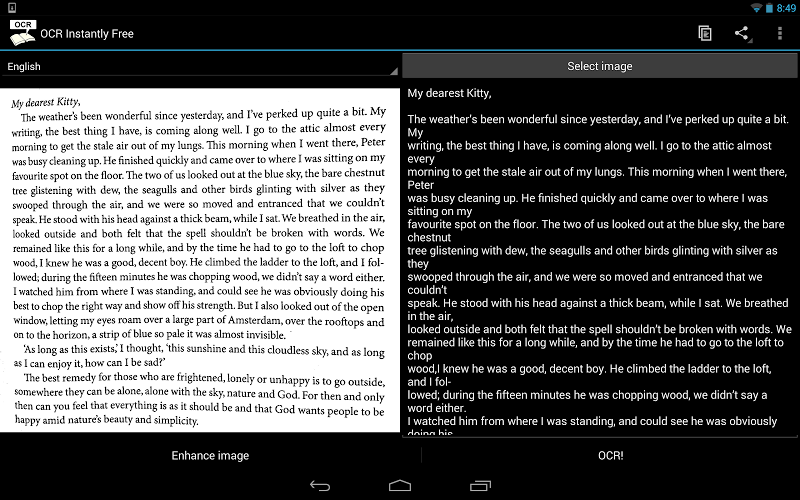
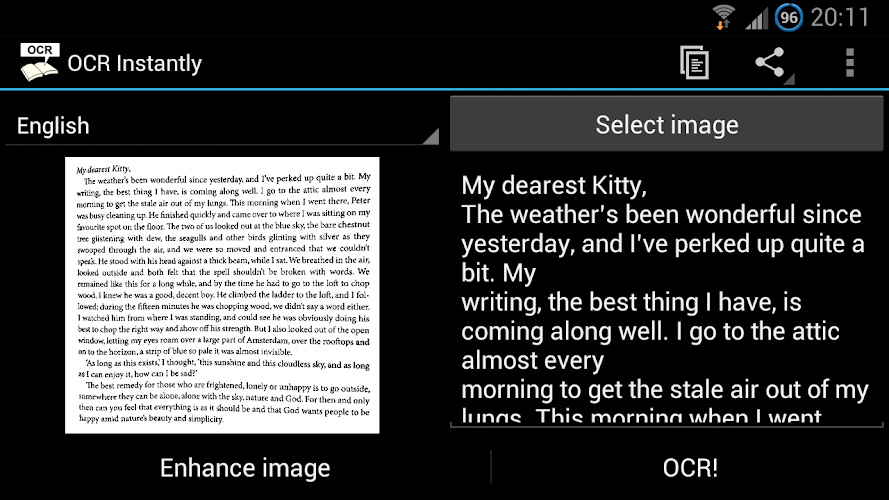
Popis: OCR stands for Optical Character Recognition which is a technology to convert image to text.
Screen:
Video:
What's in this version:
1.3.0
- Drastically improved Chinese and Japanese OCR result though still not perfect (up to 70% accuracy from the previous 30%). Korean should have improved the same way but not verified.
1.2.9
- Added Multi-language OCR support for Pro version.
1.2.8 and 1.2.7
- Added Text To Speech support for Pro version! Start and stop reading the text via menu.
- Added 'Auto Read Text' mode inside settings to read text automatically after performing OCR.
Vice info:
Stahuj zde:
OCR stands for Optical Character Recognition which is a technology to convert image to text. Turn your mobile phone into a portable text reader now!
It is better than other OCR apps in terms of simplicity and functionality. With strong points such as:
1) Offline OCR engine - doesn't require sending data to servers for processing.
2) Image enhancement engine - Capable of removing noise such as flickering lines seen when taking photo of a computer screen! Image crop and rotation are supported too.
3) Simplicity - very simple to use!
4) Digitized text can be copied to clipboard or shared to other apps directly.
5) Save to SD card (Pro version only) - enhanced image and digitized text can be saved as .jpg and .txt.
6) Paragraph Scanning Mode (Pro version only) - detects and removes unwanted line breaks in paragraphs.
7) Text To Speech support (Pro version only) - supported languages depend on the Text To Speech (TTS) engine installed on your device. The default engine in most devices only supports English (UK), English (US), French, German, Italian, and Spanish.
8) Multi-Language OCR support (Pro version only) - perform OCR on text that contains multiple languages. Note: Some language combinations don't work well, for example Japanese + English, Chinese + English etc.
9) Huge language support: (contact me if your language is missing, I might have just missed it)
Afrikaans, Ancient Greek, Arabic, Bulgarian, Catalan, Chinese (Simplified), Chinese (Traditional), Croatian, Czech, Danish, Dutch, English, Finnish, French, German, Greek, Hebrew, Hindi, Hungarian, Icelandic, Indonesian, Italian (Old), Italian, Japanese, Korean, Latvian, Lithuanian, Malay, Norwegian, Polish, Portuguese, Romanian, Russian, Serbian (Latin), Slovenian, Spanish (old), Spanish, Swedish, Tamil, Tagalog, Thai, Turkish, Ukrainian, Vietnamese
Note: OCR result for Chinese, Japanese and Korean still needs improvement, but have been drastically improved on version v1.3.0 onwards, try it out on the Free version first!
= Pro Version Features =
- Ad free
- Saving digitized text to SD card
- Saving enhanced photo to SD card
- Paragraph Scanning Mode
- Text To Speech support
- Multi-Language OCR support
- More to come in future updates. Drop me an email for feature requests!
(20,- Kc)
Pozadavky: Android 2.3.3 a vyssi
Popis: OCR stands for Optical Character Recognition which is a technology to convert image to text.
Screen:
Video:
What's in this version:
1.3.0
- Drastically improved Chinese and Japanese OCR result though still not perfect (up to 70% accuracy from the previous 30%). Korean should have improved the same way but not verified.
1.2.9
- Added Multi-language OCR support for Pro version.
1.2.8 and 1.2.7
- Added Text To Speech support for Pro version! Start and stop reading the text via menu.
- Added 'Auto Read Text' mode inside settings to read text automatically after performing OCR.
Vice info:
Kód: Vybrat vše
https://play.google.com/store/apps/details?id=com.thesimplest.ocrproKód: Vybrat vše
http://uloz.to/xQ3gFATk/ocr-instantly-pro-v1-3-0-4allmobile-eu-apk
http://www29.zippyshare.com/v/66960530/file.htmlIt is better than other OCR apps in terms of simplicity and functionality. With strong points such as:
1) Offline OCR engine - doesn't require sending data to servers for processing.
2) Image enhancement engine - Capable of removing noise such as flickering lines seen when taking photo of a computer screen! Image crop and rotation are supported too.
3) Simplicity - very simple to use!
4) Digitized text can be copied to clipboard or shared to other apps directly.
5) Save to SD card (Pro version only) - enhanced image and digitized text can be saved as .jpg and .txt.
6) Paragraph Scanning Mode (Pro version only) - detects and removes unwanted line breaks in paragraphs.
7) Text To Speech support (Pro version only) - supported languages depend on the Text To Speech (TTS) engine installed on your device. The default engine in most devices only supports English (UK), English (US), French, German, Italian, and Spanish.
8) Multi-Language OCR support (Pro version only) - perform OCR on text that contains multiple languages. Note: Some language combinations don't work well, for example Japanese + English, Chinese + English etc.
9) Huge language support: (contact me if your language is missing, I might have just missed it)
Afrikaans, Ancient Greek, Arabic, Bulgarian, Catalan, Chinese (Simplified), Chinese (Traditional), Croatian, Czech, Danish, Dutch, English, Finnish, French, German, Greek, Hebrew, Hindi, Hungarian, Icelandic, Indonesian, Italian (Old), Italian, Japanese, Korean, Latvian, Lithuanian, Malay, Norwegian, Polish, Portuguese, Romanian, Russian, Serbian (Latin), Slovenian, Spanish (old), Spanish, Swedish, Tamil, Tagalog, Thai, Turkish, Ukrainian, Vietnamese
Note: OCR result for Chinese, Japanese and Korean still needs improvement, but have been drastically improved on version v1.3.0 onwards, try it out on the Free version first!
= Pro Version Features =
- Ad free
- Saving digitized text to SD card
- Saving enhanced photo to SD card
- Paragraph Scanning Mode
- Text To Speech support
- Multi-Language OCR support
- More to come in future updates. Drop me an email for feature requests!