CAD Touch Pro
Napsal: 08. 01. 2014 14:47
CAD Touch Pro v5.0.4
(164,- Kc)
Pozadavky: Android 4.0.3 a vyssi
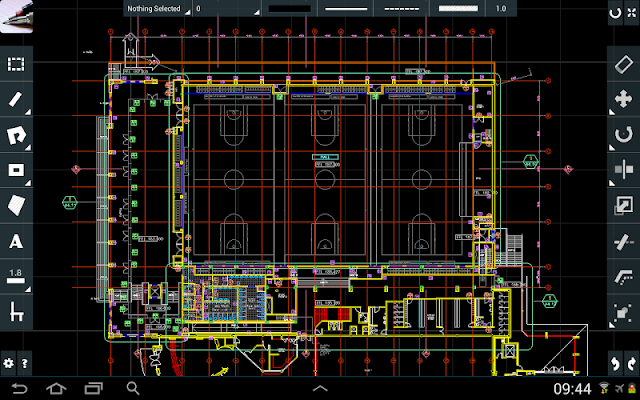
Popis: cadTouch is a PRO CAD solution that completely reinvents on-site drawing, giving to professionals in various core fields like architecture, engineering, real estate, home design, and more, the power to measure, draw and view their work on-site.
cadTouch is really easy to use and it's fast multitouch interface will give you the precision and flexibility that pen and paper fail to archive, finally you will have the perfect on-the-go companion for desktop software like AutoCAD™, SketchUp™ or Solidworks™ and every other DWG/DXF compatible app.
This is the full version of cadTouch 5, a professional CAD editor and viewer at your fingertips.
Screen:
Video:
What's in this version:
Version 5.0.4:
- Fixed a problem with orientation change.
Version 5.0.3:
- Solved a problem with memory consumption
- Stability and usability improvements
Version 5.0.2:
- Now supports also phones with 3,4 inches and more.
Version 5.0.1:
- Now supports also phones and phablets with more than 5" inch displays.
Vice info:
Stahuj zde:
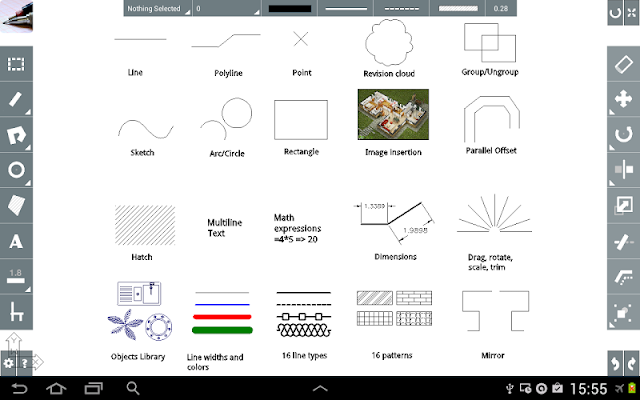
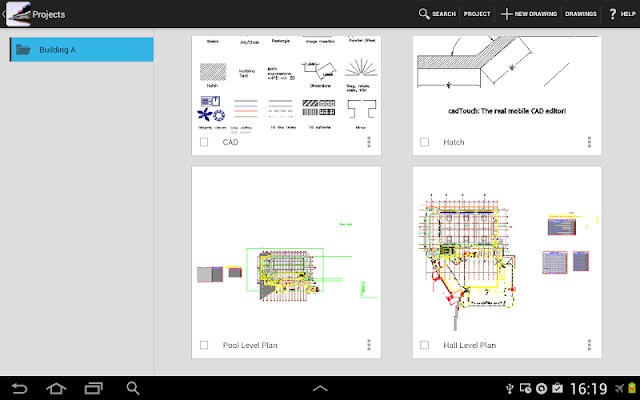
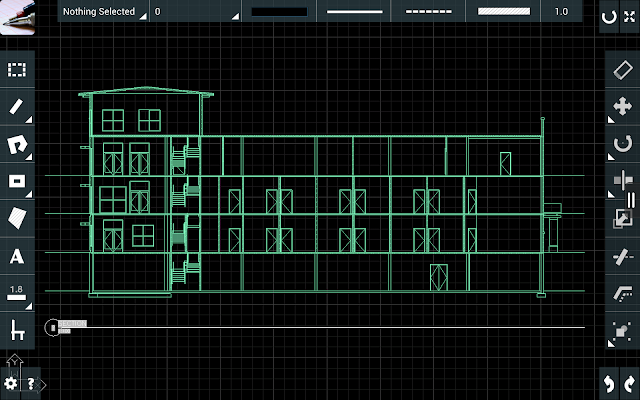
cadTouch supports every DWG (up to AutoCAD™ 2013) entities for viewing and editing as it uses industry-proof input/output DWG importers, and you can draw new lines, polylines, rectangles, circles, arcs, points (also by xyz coords), hatches, texts, smart/angular dimensions, sketches, revision clouds, raster image, ruler, move, rotate, scale, trim, delete, mirror, offset, group, explode, grips, OSNAP, line/patterns type, alignments guides, objects library, preloaded library with 20+ blocks, customizable library, info tool to query length/perimeter/area, layers, black or white background and many more features.
Complete support for decimal and imperial measure units (architectural feet and inches).
cadTouch requires no internet connection.
cadTouch is a DWG/DXF drawings editor and viewer, you can open, share and save your work in DWG, PDF and PNG (Pro version only).
A screen size of at least 4.5" is recommended (stylus is not necessary, but is well supported by cadTouch).
Please remember to close other apps before running cadTouch (to free RAM).
(164,- Kc)
Pozadavky: Android 4.0.3 a vyssi
Popis: cadTouch is a PRO CAD solution that completely reinvents on-site drawing, giving to professionals in various core fields like architecture, engineering, real estate, home design, and more, the power to measure, draw and view their work on-site.
cadTouch is really easy to use and it's fast multitouch interface will give you the precision and flexibility that pen and paper fail to archive, finally you will have the perfect on-the-go companion for desktop software like AutoCAD™, SketchUp™ or Solidworks™ and every other DWG/DXF compatible app.
This is the full version of cadTouch 5, a professional CAD editor and viewer at your fingertips.
Screen:
Video:
What's in this version:
Version 5.0.4:
- Fixed a problem with orientation change.
Version 5.0.3:
- Solved a problem with memory consumption
- Stability and usability improvements
Version 5.0.2:
- Now supports also phones with 3,4 inches and more.
Version 5.0.1:
- Now supports also phones and phablets with more than 5" inch displays.
Vice info:
Kód: Vybrat vše
https://play.google.com/store/apps/details?id=com.cadTouch.androidFullKód: Vybrat vše
http://www.kingfiles.net/o9kws1hfdnph/cadTouch_5.0.4.apk
http://ul.to/vm5jhyvj
http://unlimitzone.com/a9brzqwrkr8o/cadTouch_5.0.4.apk.html
http://www.tusfiles.net/95lknrbkd0fjComplete support for decimal and imperial measure units (architectural feet and inches).
cadTouch requires no internet connection.
cadTouch is a DWG/DXF drawings editor and viewer, you can open, share and save your work in DWG, PDF and PNG (Pro version only).
A screen size of at least 4.5" is recommended (stylus is not necessary, but is well supported by cadTouch).
Please remember to close other apps before running cadTouch (to free RAM).