RCX for TiVo
Napsal: 13. 02. 2014 17:54
RCX for TiVo v2.0.4
(60,- Kc)
Pozadavky: Android 2.1 a vyssi
Popis: Tired after a long day at work and want to relax on the couch while watching your favorite shows but can't find your TiVo® remote? Grab your phone or tablet, you've got it with you anyway. Problem solved!
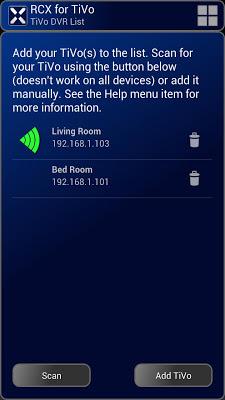
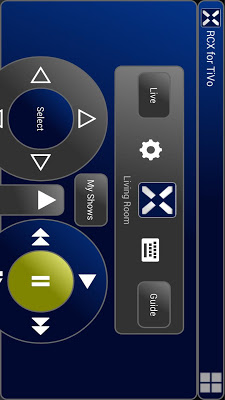
Screen:
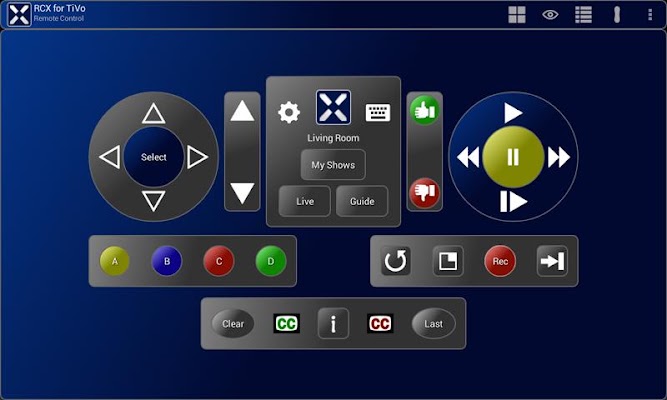
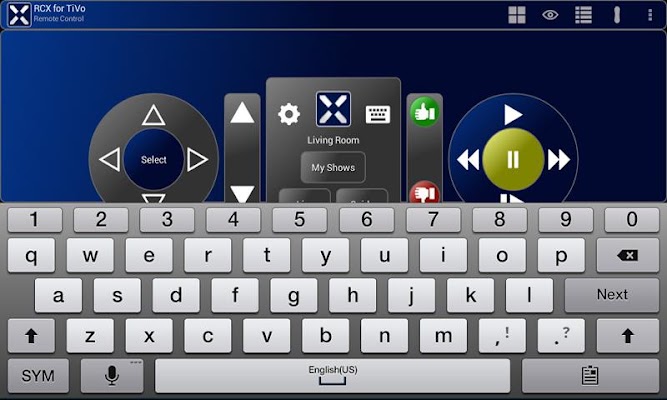
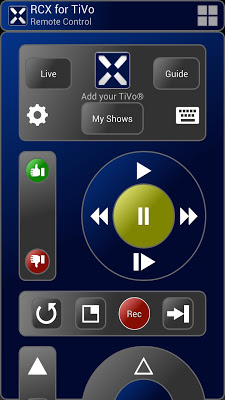
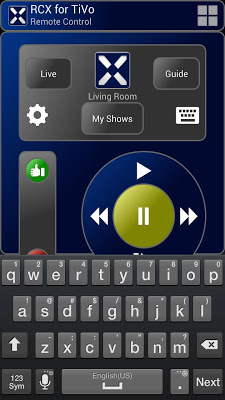
What's in this version:
* Try before you buy! See "RCX for TiVo (free)"
- App now respects device silent or vibrate only setting
- Fixed rewind/channel up buttons on trackpads
- Restore on screen keypad for changing channels (thanks Craig!)
- Fix trackpad so it functions after resume from sleep
- Fix for TiVo list
- New Swipe Trackpads for using the app *without* looking at the device
- New keyboard support (software, hardware & USB) for TiVo typing
- New "My Shows" button
- Custom landscape & tablet screens
Vice info:
Stahuj zde:
Tired after a long day at work and want to relax on the couch while watching your favorite shows but can't find your TiVo® remote? Grab your phone or tablet, you've got it with you anyway. Problem solved!
Product Features
- Control your TiVo Series3™ (or greater) with your Android phone or tablet!
- Search for your favorite shows using the on-screen device keyboard, hardware keyboard or even a USB keyboard if your device supports it.
- Keep your eyes on the show your watching with the new "Watch TV" trackpad.
- Simple design, easy to use
Suggestions and feedback are always welcome!
Quick Start
This quick start quide assumes your TiVo(R) is connected to your home network. This means you need a network cable or wireless TiVo adapter connected to your TiVo and configured properly. Please see your TiVo documentation for more information.
1) Connect to Wi-Fi
The device running RCX must be connected to the same network as the TiVo®. Typically this means the device must be connected to your home Wi-Fi network.
2) Enable "Network Remote Control"
Enable the "Network Remote Control" setting on the TiVo. Do this by navigating the TiVo menu to "Settings & Messages\Settings\Remote, Cable Card & Devices\Network Remote Control".
3) Add the TiVo network IP address to RCX
Your TiVo network address must be added to RCX. To find the TiVo network IP address navigate the TiVo menu to "Settings & Messages\Settings\Network & Phone". The TiVo network IP address should be displayed. Tap the "gear" icon in RCX, choose "TiVo DVRs" then tap the "Add TiVo" button and enter the information requested. Alternatively you can choose "TiVo DVRs" and use the "Scan" button to try to automatically identify your TiVo's IP address.
Notes
- The TiVo web site accessed from the RCX menu can be changed in the options. This is particularly useful if you live outside the US.
- TV volume and input cannot be controlled by the TiVo itself and this app can't do it either. The TiVo remote uses infrared which nearly all android devices lack.
TiVo® is a registered trademark of Tivo Inc.
YouTube® is a registered trademark of Google Inc.
(60,- Kc)
Pozadavky: Android 2.1 a vyssi
Popis: Tired after a long day at work and want to relax on the couch while watching your favorite shows but can't find your TiVo® remote? Grab your phone or tablet, you've got it with you anyway. Problem solved!
Screen:
What's in this version:
* Try before you buy! See "RCX for TiVo (free)"
- App now respects device silent or vibrate only setting
- Fixed rewind/channel up buttons on trackpads
- Restore on screen keypad for changing channels (thanks Craig!)
- Fix trackpad so it functions after resume from sleep
- Fix for TiVo list
- New Swipe Trackpads for using the app *without* looking at the device
- New keyboard support (software, hardware & USB) for TiVo typing
- New "My Shows" button
- Custom landscape & tablet screens
Vice info:
Kód: Vybrat vše
https://play.google.com/store/apps/details?id=rc.apps.rcXFullKód: Vybrat vše
http://www24.zippyshare.com/v/63579484/file.html
http://www.2shared.com/file/T-RKaTtp/rc-apps-rcxfull-204-5053609-87.html
http://www.tusfiles.net/uw05nqw88jyd
http://ul.to/i4tga1a2
http://www3.zippyshare.com/v/18298734/file.html
http://www.tusfiles.net/jnq0d211hnyo
http://uloz.to/x5HLZfDp/rcx-for-tivo-v2-0-4-apk
http://ulozto.sk/xS3uJ62G/rcx-for-tivo-v2-0-4-apkProduct Features
- Control your TiVo Series3™ (or greater) with your Android phone or tablet!
- Search for your favorite shows using the on-screen device keyboard, hardware keyboard or even a USB keyboard if your device supports it.
- Keep your eyes on the show your watching with the new "Watch TV" trackpad.
- Simple design, easy to use
Suggestions and feedback are always welcome!
Quick Start
This quick start quide assumes your TiVo(R) is connected to your home network. This means you need a network cable or wireless TiVo adapter connected to your TiVo and configured properly. Please see your TiVo documentation for more information.
1) Connect to Wi-Fi
The device running RCX must be connected to the same network as the TiVo®. Typically this means the device must be connected to your home Wi-Fi network.
2) Enable "Network Remote Control"
Enable the "Network Remote Control" setting on the TiVo. Do this by navigating the TiVo menu to "Settings & Messages\Settings\Remote, Cable Card & Devices\Network Remote Control".
3) Add the TiVo network IP address to RCX
Your TiVo network address must be added to RCX. To find the TiVo network IP address navigate the TiVo menu to "Settings & Messages\Settings\Network & Phone". The TiVo network IP address should be displayed. Tap the "gear" icon in RCX, choose "TiVo DVRs" then tap the "Add TiVo" button and enter the information requested. Alternatively you can choose "TiVo DVRs" and use the "Scan" button to try to automatically identify your TiVo's IP address.
Notes
- The TiVo web site accessed from the RCX menu can be changed in the options. This is particularly useful if you live outside the US.
- TV volume and input cannot be controlled by the TiVo itself and this app can't do it either. The TiVo remote uses infrared which nearly all android devices lack.
TiVo® is a registered trademark of Tivo Inc.
YouTube® is a registered trademark of Google Inc.