Memory Notification Pro
Napsal: 09. 03. 2014 00:49
Memory Notification Pro v1.0.4
(20,- Kc)
Pozadavky: Android 3.0 a vyssi
Popis: Memory (RAM) information display app!
Screen:
What's in this version:
Vice info:
Stahuj zde:
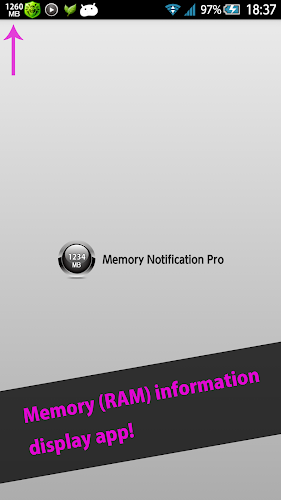
Memory (RAM) information display app!
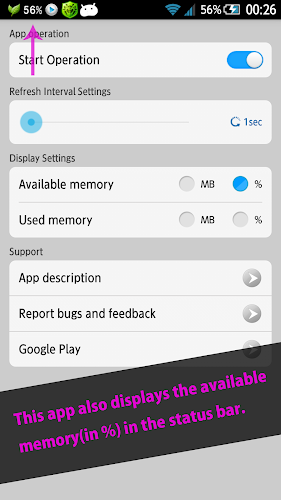
This app displays the available memory size or available memory(in %) or used memory size or used memory (in %) in the status bar.
High (RAM) utilization on the device causes slow performance.
This is useful app for those who want to do such as memory liberation and task-kill depending on the amount of memory because of the ability of checking used and available memory size in real time.
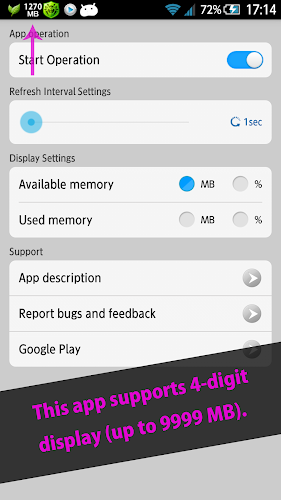
This app supports 4-digit display (up to 9999 MB).
This app is displayed in the increments of 5 MB, to prevent it from getting too large in size.
The operations of this app stop during the Sleep mode, and therefore no battery is consumed.
--App functions--
- Display available memory
- Display available memory (in %)
- Display used memory
- Display used memory (in %)
- 4-digit display support
- Auto-stop during Sleep mode
- Auto-start application when starting-up the device
--Request to all users--
If you have any comments, requests, questions or bugs to report, please contact us via "Report bugs and feedback" in the app.
Please contact us by e-mail, as sufficient support cannot be provided through the Review column of Google Play.
We are sorry for the inconvenience.
(20,- Kc)
Pozadavky: Android 3.0 a vyssi
Popis: Memory (RAM) information display app!
Screen:
What's in this version:
Vice info:
Kód: Vybrat vše
https://play.google.com/store/apps/details?id=jp.snowlife01.android.mnpKód: Vybrat vše
http://www.tusfiles.net/eb1hunl5rh9i
http://unlimitzone.com/tfvvvtcurkif/jp.snowlife01.android.mnp.ver.1.0.4.build.8.apk.html
http://rapidgator.net/file/1266772a47ebc1fb642e34f3d91ce3c3/jp.snowlife01.android.mnp.ver.1.0.4.build.8.apk.html
http://www.kingfiles.net/n1sti81pcedd/jp.snowlife01.android.mnp.ver.1.0.4.build.8.apk
http://www68.zippyshare.com/v/1922101/file.html
http://www.tusfiles.net/3ggxwqsqv2mh
http://uloz.to/xs9kM3PD/memory-notification-pro-v1-0-4-apk
http://ulozto.sk/xa5WqYeW/memory-notification-pro-v1-0-4-apkThis app displays the available memory size or available memory(in %) or used memory size or used memory (in %) in the status bar.
High (RAM) utilization on the device causes slow performance.
This is useful app for those who want to do such as memory liberation and task-kill depending on the amount of memory because of the ability of checking used and available memory size in real time.
This app supports 4-digit display (up to 9999 MB).
This app is displayed in the increments of 5 MB, to prevent it from getting too large in size.
The operations of this app stop during the Sleep mode, and therefore no battery is consumed.
--App functions--
- Display available memory
- Display available memory (in %)
- Display used memory
- Display used memory (in %)
- 4-digit display support
- Auto-stop during Sleep mode
- Auto-start application when starting-up the device
--Request to all users--
If you have any comments, requests, questions or bugs to report, please contact us via "Report bugs and feedback" in the app.
Please contact us by e-mail, as sufficient support cannot be provided through the Review column of Google Play.
We are sorry for the inconvenience.