BlackBook Pro
Napsal: 14. 03. 2014 20:22
BlackBook Pro v1.05
(88,- Kc)
Pozadavky: Android 4.1 a vyssi
Popis: BlackBook Pro is handwriting note-taking application designed for professionals to use as a replacement for their current paper “black book” notebooks. BlackBook Pro is also great for use as a personal journal, a notepad, a sketch book and/or in general as digital replacement for traditional “pen on paper” writing and drawing.
Screen:
What's in this version:
- nova aplikace
Vice info:
Stahuj zde:
BlackBook Pro is handwriting note-taking application designed for professionals to use as a replacement for their current paper “black book” notebooks. BlackBook Pro is also great for use as a personal journal, a notepad, a sketch book and/or in general as digital replacement for traditional “pen on paper” writing and drawing.
Blackbook Pro LITE is a fully functional FREE version of the app but is limited to one active notebook at a time. The FULL version of BlackBook Pro is available for purchase and allows for multiple active notebooks.
BlackBook Pro has many great features:
> Easy to setup & use
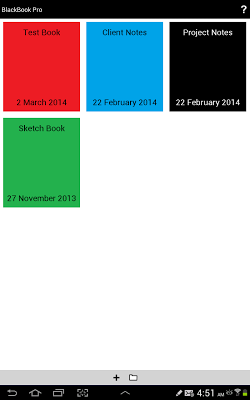
> Ability to create, delete, archive and reload notebooks
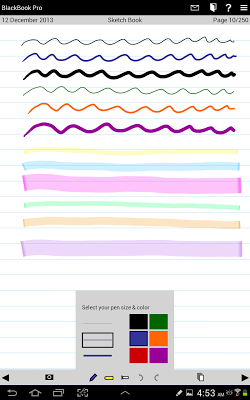
> Offers a range of pen sizes & colors
> Offers a range of highlighter sizes & colors
> Offers whiteout, undo & redo tools
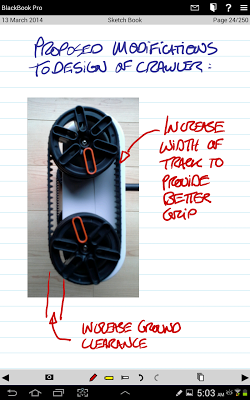
> Ability to insert photographs or images & mark them up
> Ability to share individual pages by email, social media or other options
> Ability to save whole notebooks as PDF files
> Extensive help content and manual
> Online support forum
BlackBook Pro was designed for and works best with Samsung Galaxy Note smartphones and tablets that have the S-pen stylus. However BlackBook Pro also works well with the Samsung Galaxy Tab tablets and Galaxy S smartphones. With these other devices you can use either your finger or a generic touch-screen stylus to write and draw on BlackBook Pro.
(88,- Kc)
Pozadavky: Android 4.1 a vyssi
Popis: BlackBook Pro is handwriting note-taking application designed for professionals to use as a replacement for their current paper “black book” notebooks. BlackBook Pro is also great for use as a personal journal, a notepad, a sketch book and/or in general as digital replacement for traditional “pen on paper” writing and drawing.
Screen:
What's in this version:
- nova aplikace
Vice info:
Kód: Vybrat vše
https://play.google.com/store/apps/details?id=ca.versiontwo.blackbookpro.androidKód: Vybrat vše
http://www.tusfiles.net/e7batii2346a
http://www.kingfiles.net/8c4fypg5zapf/ca.versiontwo.blackbookpro.android.ver.1.05.build.5.apk
http://unlimitzone.com/w4wq2osggl8b/ca.versiontwo.blackbookpro.android.ver.1.05.build.5.apk.html
http://rapidgator.net/file/28d7659846391967a9acdc2ce89ef18b/ca.versiontwo.blackbookpro.android.ver.1.05.build.5.apk.html
http://www53.zippyshare.com/v/43517117/file.html
http://www.tusfiles.net/0aq9otjust1z
http://uloz.to/xzw8dSEa/blackbook-pro-v1-05-apk
http://ulozto.sk/xVhJ6arC/blackbook-pro-v1-05-apkBlackbook Pro LITE is a fully functional FREE version of the app but is limited to one active notebook at a time. The FULL version of BlackBook Pro is available for purchase and allows for multiple active notebooks.
BlackBook Pro has many great features:
> Easy to setup & use
> Ability to create, delete, archive and reload notebooks
> Offers a range of pen sizes & colors
> Offers a range of highlighter sizes & colors
> Offers whiteout, undo & redo tools
> Ability to insert photographs or images & mark them up
> Ability to share individual pages by email, social media or other options
> Ability to save whole notebooks as PDF files
> Extensive help content and manual
> Online support forum
BlackBook Pro was designed for and works best with Samsung Galaxy Note smartphones and tablets that have the S-pen stylus. However BlackBook Pro also works well with the Samsung Galaxy Tab tablets and Galaxy S smartphones. With these other devices you can use either your finger or a generic touch-screen stylus to write and draw on BlackBook Pro.