GKM Touch
Napsal: 22. 03. 2014 19:26
GKM Touch v1.4.0
(45,- Kc)
Pozadavky: Android 2.2 a vyssi + ROOT
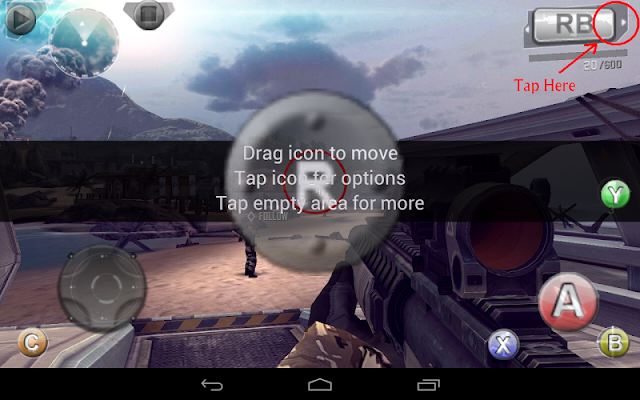
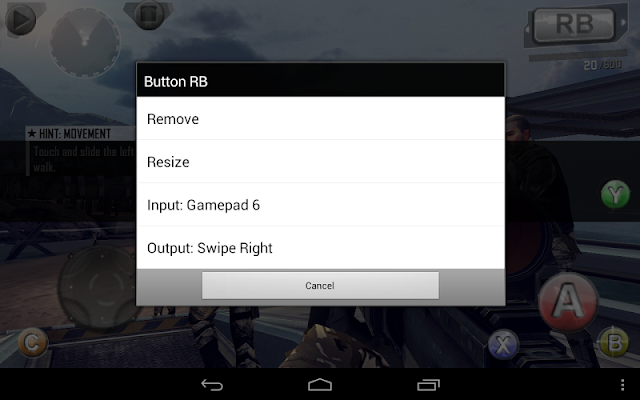
Popis: For users looking for simply and easy to use touchscreen mapping tools to play Touchscreen games and other purpose, work with Gamepad, Keyboard and Mouse. FPS style games (such as MC4, Dead Trigger, ShadowGun, GTA, Minecraft) get much better camera control by playing with mouse, provides true PC gaming experience on Android. ** Need rooted device **.
Screen:
What's in this version:
1.4.0 (2014-03-18)
Please reboot and email us when have problem after update
-[new] custom Edit Mode and Virtual Mouse toggle key
-[new] Joymouse: right stick move cursor, button A click
-[new] Auto Profile: auto load App Profile when call up Edit Mode
-[new] separable Dpad
-[bug] temp fix for some 4.3/4.4 devices
Other Recent Changes:
-Virtual Mouse mode
Vice info:
Stahuj zde:
Features:
- simple and easy to use
- edit touch points over captured screen or directly over games screen
- emulate up to 5 simultaneous touch points
- pan camera with mouse, map mouse buttons, and hide mouse cursor
- save game profiles and exchange with other users
- work with any input devices support by OS (e.g. Xperia Play Touchpad, USB XBox 360 Controller), Bluez-IME (e.g. Wiimote, iControlPad, PhoneJoy, iPega), or "system mode" of connecting tools like Sixaxis Controller (PS3) and Moga Universal Driver
- work with devices which have no physical touchscreen
(45,- Kc)
Pozadavky: Android 2.2 a vyssi + ROOT
Popis: For users looking for simply and easy to use touchscreen mapping tools to play Touchscreen games and other purpose, work with Gamepad, Keyboard and Mouse. FPS style games (such as MC4, Dead Trigger, ShadowGun, GTA, Minecraft) get much better camera control by playing with mouse, provides true PC gaming experience on Android. ** Need rooted device **.
Screen:
What's in this version:
1.4.0 (2014-03-18)
Please reboot and email us when have problem after update
-[new] custom Edit Mode and Virtual Mouse toggle key
-[new] Joymouse: right stick move cursor, button A click
-[new] Auto Profile: auto load App Profile when call up Edit Mode
-[new] separable Dpad
-[bug] temp fix for some 4.3/4.4 devices
Other Recent Changes:
-Virtual Mouse mode
Vice info:
Kód: Vybrat vše
https://play.google.com/store/apps/details?id=com.locnet.gktouchKód: Vybrat vše
http://www.tusfiles.net/33h63l0aq6fb
http://unlimitzone.com/lg2kqbzyi9el/GKM.Touch_v1.4.0.apk.html
http://hugefiles.net/arlunllqmc4r
http://www73.zippyshare.com/v/67081539/file.html
- simple and easy to use
- edit touch points over captured screen or directly over games screen
- emulate up to 5 simultaneous touch points
- pan camera with mouse, map mouse buttons, and hide mouse cursor
- save game profiles and exchange with other users
- work with any input devices support by OS (e.g. Xperia Play Touchpad, USB XBox 360 Controller), Bluez-IME (e.g. Wiimote, iControlPad, PhoneJoy, iPega), or "system mode" of connecting tools like Sixaxis Controller (PS3) and Moga Universal Driver
- work with devices which have no physical touchscreen