



(41,- Kc)
Pozadavky: Android 4.0 a vyšší
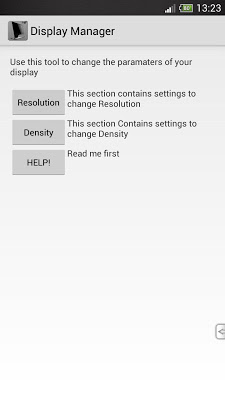
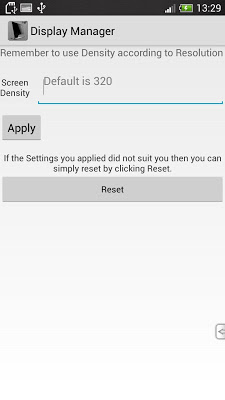
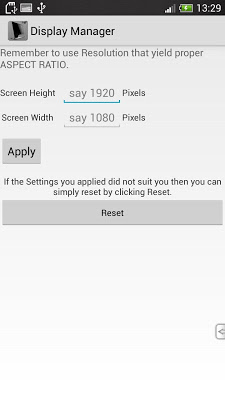
Popis: Display Manager can change display parameters of your android device. Yes! both Density and Resolution can now be changed on fly without even rooting your device. You can increase resolution to match the ever changing market of Android. Get view of tablets on phone, increase resolution to get more space on screen and increasing sharpness of screen in doing so. Decrease them to gain performance in games that scales well as expected making the tool a Battery Saver and Game Booster ...
Screen:
What's in this version:
Build version 1.1.2
** Added some scrolling facility if the user wishes to take resolution very low..
*Fixed the license "buy app" dialog problem! (Easy licensing from now on..)
*Fixed the market license issue while offline.
Vice info:
Kód: Vybrat vše
https://play.google.com/store/apps/details?id=com.displaymanagerKód: Vybrat vše
http://addr.pk/aed2d
* Display Manager can provide even better results when combined with our other apps such as Tegra Overclock or Exynos Overclock whichever suits your device*
What you can achieve with this?
* Boost gaming performance in GPU heavy games by lowering resolution without any CPU or GPU Overclock and fix lag in many situations.
* Custom Resolution and Density support for ease of use and flexibility.
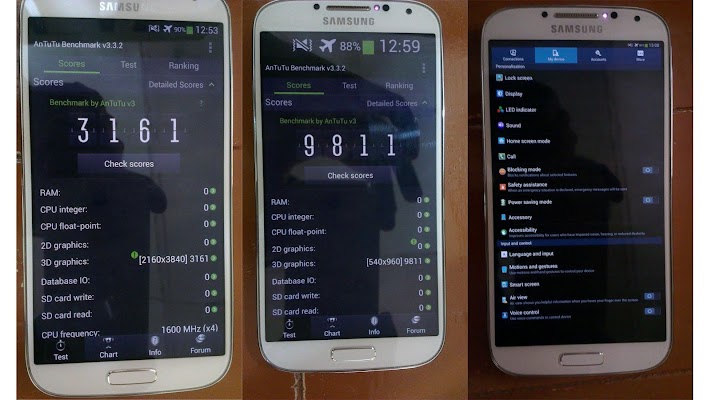
* PPI and Resolution that are years to come. ( For example Samsung Galaxy S4 was able to achieve 3840*2160 resolution and 1764PPI !!! What you think its fake then see the last picture that has ANTUTU Benchmark detecting the resolutions changed and if you don't believe that too then why not test by yourself?)
* (Ignore this point if you are not a developer)For developers it packs a testing environment in which they can test both phone/tablet versions of app on same device. If you change only resolution then the phone falls under Large Value category and hence some apps that has Tablet interface will use dual fragment mode on phones! making the app act as a display scalar ...
* For people who loves to take benchmarks this app raise the phone ratings too if Resolution is lowered as this increases 3D/2D performance.
* Save yourself from purchasing another device just because you need a better and sharper display that costs as much as 800$ with the help of Display Manager !
About license issues
For the first time it may say not licensed when purchased from play store, be patient it will quit itself and after that you can use normally.
What are side effects
The app don't come without problems of course! Android is not adapted to Resolution change or being honest not all apps are adaptive. Some launchers, keyboards and other not well written apps will face issues. Games will have no problem as they are driven by engines that consider all device sizes. Also some device with capacitive buttons such as HTC ONEX will lose control of these buttons.
How to cope with these side effects?
Best answer is finding an alternative app that does the same work. For launchers there are many free ones on play store (say Apex launcher, Go launcher etc.)
For capacitive button problem there are apps such as Button Savior that can emulate virtual buttons for you that too is free!
For keyboard you already know there are many free available already!
WARNING & DISCLAIMER
Although this app don't require root to work but this does require your device to have ANDROID 4.2 versions. If not then the changes won't be visible on any Rom. Earlier and later versions implement these differently and hence if you upgrade your device in future you will lose this ability. So think before you purchase as we really can't help to make it work on different versions until Google wishes it!
Hence we will keep the price of the app very affordable so that user can get the satisfaction for what they pay for.


