Fake GPS Location Spoofer
Napsal: 11. 04. 2014 21:39
Fake GPS Location Spoofer v3.4
(49,- Kc)
Pozadavky: Android 2.1 a vyssi
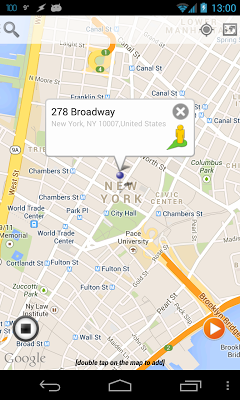
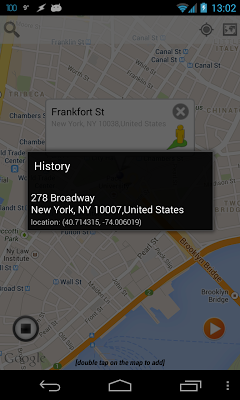
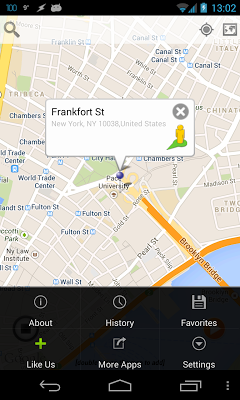
Popis: Fake Gps location so you can post on Facebook ™, Twitter ™, Foursquare ™, Whatsapp ™, Google Maps ™, Navigation, Yelp ™, Navigon ™, TomTom ™ or any other app that uses your phone's locations. The app will overwrite your current location elegantly and the third party apps will think you are in Paris under the Eifel Tower or in New York on Times Square!
Screen:
Video:
What's in this version:
3.4
-Google Map logo terms compliancy (9.4(a))
old
-fixes GPS after usage
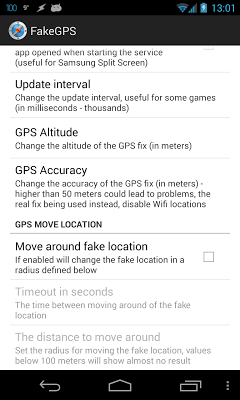
-New setting - update interval user adjustable for better hacking on certain apps...
-New setting-move around location in a radius
- No mock locations required if used on root and used as system/app
Vice info:
Stahuj zde:
Fake Gps location so you can post on Facebook ™, Twitter ™, Foursquare ™, Whatsapp ™, Google Maps ™, Navigation, Yelp ™, Navigon ™, TomTom ™ or any other app that uses your phone's locations. The app will overwrite your current location elegantly and the third party apps will think you are in Paris under the Eifel Tower or in New York on Times Square!
Make sure to DISABLE WIFI LOCATION SETTINGS and leave only GPS On for best results!!!!
Is your device Rooted? If yes you can use the Fake GPS with some apps as root without mock locations needed to be enabled :
Important: As of Kitkat 4.4 (Nexus 5 for example) the system folder is system/priv-app/
1. Copy pkg.apk in /mnt/asec/ to SDCard and rename it 'com.incorprateapps.fakepgs-1.apk' and move it to system/app or system/priv-app on 4.4. (Nexus 5) and then press on install via ES File Explorer and reboot. Make sure in ES File Explorer Root Explorer is enabled and Mount R/W is on RW!!!!
(49,- Kc)
Pozadavky: Android 2.1 a vyssi
Popis: Fake Gps location so you can post on Facebook ™, Twitter ™, Foursquare ™, Whatsapp ™, Google Maps ™, Navigation, Yelp ™, Navigon ™, TomTom ™ or any other app that uses your phone's locations. The app will overwrite your current location elegantly and the third party apps will think you are in Paris under the Eifel Tower or in New York on Times Square!
Screen:
Video:
What's in this version:
3.4
-Google Map logo terms compliancy (9.4(a))
old
-fixes GPS after usage
-New setting - update interval user adjustable for better hacking on certain apps...
-New setting-move around location in a radius
- No mock locations required if used on root and used as system/app
Vice info:
Kód: Vybrat vše
https://play.google.com/store/apps/details?id=com.incorporateapps.fakegpsKód: Vybrat vše
http://www.tusfiles.net/5u1psx6c1s99
http://unlimitzone.com/hry1hx9z6eoi/FakeGPS_3.4.zip.html
http://rapidgator.net/file/dac2572fef08c3c92d53ebe5de5d2e31/FakeGPS_3.4.zip.html
Make sure to DISABLE WIFI LOCATION SETTINGS and leave only GPS On for best results!!!!
Is your device Rooted? If yes you can use the Fake GPS with some apps as root without mock locations needed to be enabled :
Important: As of Kitkat 4.4 (Nexus 5 for example) the system folder is system/priv-app/
1. Copy pkg.apk in /mnt/asec/ to SDCard and rename it 'com.incorprateapps.fakepgs-1.apk' and move it to system/app or system/priv-app on 4.4. (Nexus 5) and then press on install via ES File Explorer and reboot. Make sure in ES File Explorer Root Explorer is enabled and Mount R/W is on RW!!!!