Tether It
Napsal: 27. 04. 2014 11:49
Tether It v1.1.4 build 3 (Patched)
(60,- Kc)
Pozadavky: Android 2.2 a vyssi
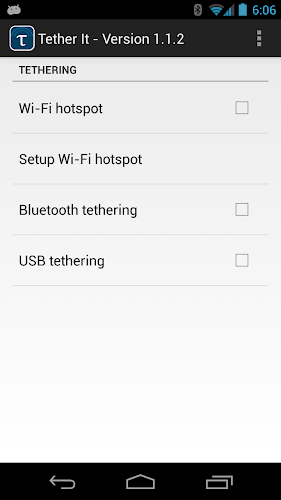
Popis: Tether It implements all possible tethering options without requiring a tethering plan from your carrier, or rooting your phone. You use this app to share your smart-phone's Internet connection with your computer, tablet or other devices. Only one click is required to turn WiFi, Bluetooth or USB tethering on or off.
Screen:
What's in this version:
- Bug Fixes
Vice info:
Stahuj zde:
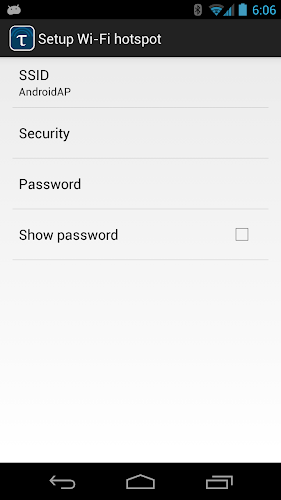
The WiFi access point created by Tether It supports WPA2 security. The tethering usage is covered by the general data plan you have from your carrier; no separate tethering plan is required. This can save you significant amount of money per month.
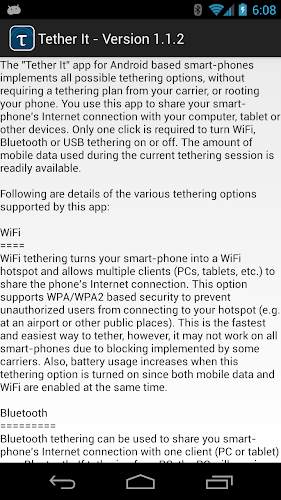
The WiFi mode is the fastest and easiest way to tether, however, it may not work on all phones due to blocking implemented by some carriers. Bluetooth and USB tethering modes work for all phones and carriers. You can try WiFi mode first. If it prompts you to call your carrier, that means Tether It has failed to activate the WiFi access point, and you should use Bluetooth or USB mode instead.
(60,- Kc)
Pozadavky: Android 2.2 a vyssi
Popis: Tether It implements all possible tethering options without requiring a tethering plan from your carrier, or rooting your phone. You use this app to share your smart-phone's Internet connection with your computer, tablet or other devices. Only one click is required to turn WiFi, Bluetooth or USB tethering on or off.
Screen:
What's in this version:
- Bug Fixes
Vice info:
Kód: Vybrat vše
https://play.google.com/store/apps/details?id=com.snrblabs.donkeyKód: Vybrat vše
http://www52.zippyshare.com/v/28876481/file.html
https://www.tusfiles.net/uo0wmj7jrfjf
http://hugefiles.net/4he7wm15v1a4
http://rapidgator.net/file/d15378fef4f83509cbce55d49513d242
http://www.2shared.com/file/J8yF8Br-/TetherIt_v114b3VeGasRoMeocrk.html
http://www62.zippyshare.com/v/79957817/file.html
http://hugefiles.net/dce25mp1mu54
http://uloz.to/xm853VMY/tether-it-v1-1-4-build-3-apk
http://ulozto.sk/x51Vh12b/tether-it-v1-1-4-build-3-apk
The WiFi mode is the fastest and easiest way to tether, however, it may not work on all phones due to blocking implemented by some carriers. Bluetooth and USB tethering modes work for all phones and carriers. You can try WiFi mode first. If it prompts you to call your carrier, that means Tether It has failed to activate the WiFi access point, and you should use Bluetooth or USB mode instead.