[root] SMS Bypass
Napsal: 28. 04. 2014 10:06
[root] SMS Bypass v1.3
(40,- Kc)
Pozadavky: Android 2.2 a vyssi
Popis: Many times we forget our android screen lock gesture pattern or password or a prankster changes it without notifying you. In such cases, this app allows you to remotely bypass your phone's lockscreen by sending a SMS. It removes your gesture pattern or password after receiving a preset keyword along with a secret code via SMS. SMS Bypass app requires root.
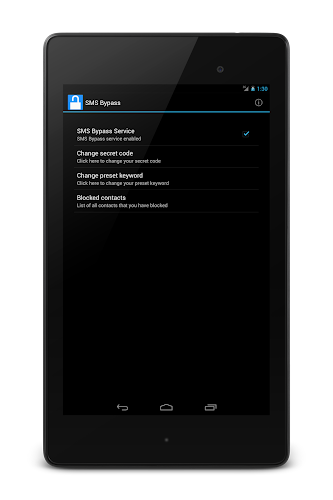
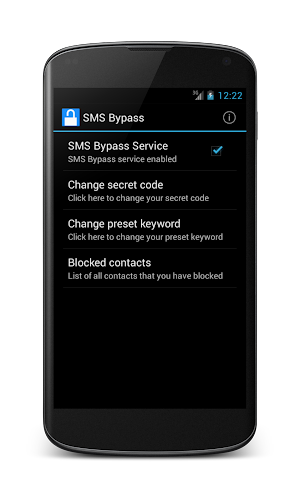
Screen:
Video:
What's in this version:
- nova aplikace
Vice info:
Stahuj zde:
Many times we forget our android screen lock gesture pattern or password or a prankster changes it without notifying you. In such cases, this app allows you to remotely bypass your phone's lockscreen by sending a SMS. It removes your gesture pattern or password after receiving a preset keyword along with a secret code via SMS. SMS Bypass app requires root.
Using SMS Bypass
1)First, make sure you give permanent root access to the app.
2)Change the secret code to your preferred choice. The default password is : 1234.
Preferably, change this to your Google account password or some other password which is easy for you to remember.
3)To reset your screen lock, send the following message from another phone: secret_code reset
Example:
1234 reset
4)Your phone will restart and your lock screen will be removed.
For detailed instructions on usage go to this page:
(40,- Kc)
Pozadavky: Android 2.2 a vyssi
Popis: Many times we forget our android screen lock gesture pattern or password or a prankster changes it without notifying you. In such cases, this app allows you to remotely bypass your phone's lockscreen by sending a SMS. It removes your gesture pattern or password after receiving a preset keyword along with a secret code via SMS. SMS Bypass app requires root.
Screen:
Video:
What's in this version:
- nova aplikace
Vice info:
Kód: Vybrat vše
https://play.google.com/store/apps/details?id=com.mb14.smsbypassKód: Vybrat vše
Using SMS Bypass
1)First, make sure you give permanent root access to the app.
2)Change the secret code to your preferred choice. The default password is : 1234.
Preferably, change this to your Google account password or some other password which is easy for you to remember.
3)To reset your screen lock, send the following message from another phone: secret_code reset
Example:
1234 reset
4)Your phone will restart and your lock screen will be removed.
For detailed instructions on usage go to this page:
Kód: Vybrat vše
http://mb-14.github.io/smsbypass/