Snap Enhance Pro
Napsal: 02. 08. 2014 06:13
Snap Enhance Pro v2.0
20,-kc
Požadavky: Android 4.0 a vyšší
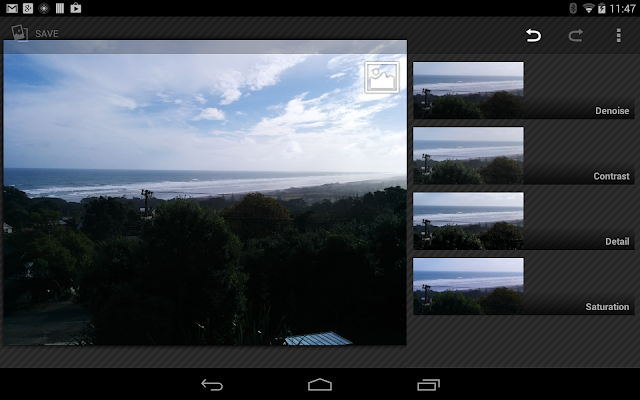
Popis: Enhance your photos.This app will let you make the most of your photos, it provides 4 enhancement tools with simple, yet powerful controls.
Screen:
Vice info:
Stahuj zde:
Denoise:
Remove noise caused by low light or detail enhancement.
Contrast:
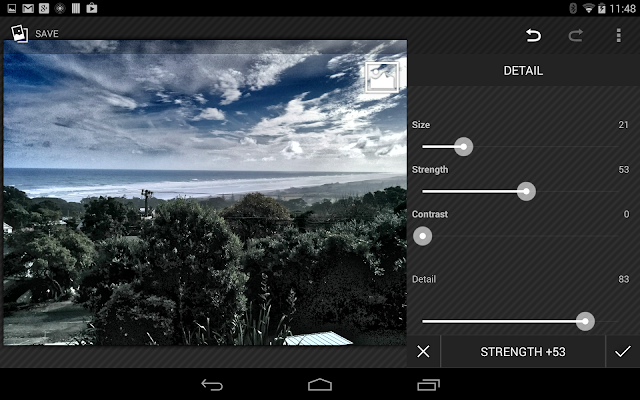
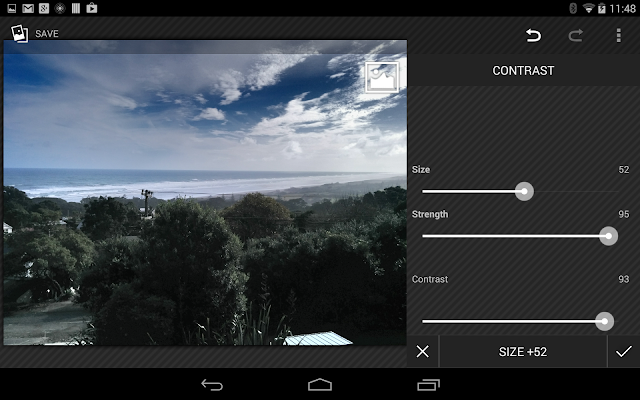
Change the dynamic contrast in a photo, this lets you see information in dark and light areas of a photo at the same time.
Detail:
Enhance the details in a photo. Unlike some apps, this doesn't just sharpen the edges but really brings out features you might not be able to see otherwise.
Saturation:
Enhance all or some of the colours in a photo.
The button in the top right lets you see the original
For denoising, contrast and detail enhancement, you can choose the size of the neighbourhood used by the algorithms.
The app works by splitting a photo into 3 layers, a contrast layer, a base layer and a detail layer. Each layer is obtained using spatial filters with a complexity of O(1) per pixel so it's all done really quickly. This means you can adjust parameters in real time and see how they change your photo.
To edit a photo, either open the app and select a source photo or from your gallery/camera app select the share icon and choose "Snap Enhance"
The app is non-destructive, your original photo is stored and the enhancements can be undone at any time. Select "show applied effects" from the menu to see which effects are applied. The order of the effects is important, for example denoising before detail enhancement is different to denoising after.
To make a copy of a photo you can use the "export" menu item.
If you try to edit a photo from a source (for example Picassa) where it can't be saved it will be saved into the "Edited Online Photos" folder.
20,-kc
Požadavky: Android 4.0 a vyšší
Popis: Enhance your photos.This app will let you make the most of your photos, it provides 4 enhancement tools with simple, yet powerful controls.
Screen:
Vice info:
Kód: Vybrat vše
https://play.google.com/store/apps/details?id=com.marginz.enhanceproKód: Vybrat vše
http://ul.to/erhp00g3
http://www.tusfiles.net/kmqzotg7wfgp
https://webshare.cz/group/15y9p4go5Z/
http://www25.zippyshare.com/v/90532340/file.html
http://ulozto.cz/xa8iaWBZ/snap-enhance-pro-2-0-apk
http://ulozto.net/xjvkBe2G/snap-enhance-pro-2-0-apkRemove noise caused by low light or detail enhancement.
Contrast:
Change the dynamic contrast in a photo, this lets you see information in dark and light areas of a photo at the same time.
Detail:
Enhance the details in a photo. Unlike some apps, this doesn't just sharpen the edges but really brings out features you might not be able to see otherwise.
Saturation:
Enhance all or some of the colours in a photo.
The button in the top right lets you see the original
For denoising, contrast and detail enhancement, you can choose the size of the neighbourhood used by the algorithms.
The app works by splitting a photo into 3 layers, a contrast layer, a base layer and a detail layer. Each layer is obtained using spatial filters with a complexity of O(1) per pixel so it's all done really quickly. This means you can adjust parameters in real time and see how they change your photo.
To edit a photo, either open the app and select a source photo or from your gallery/camera app select the share icon and choose "Snap Enhance"
The app is non-destructive, your original photo is stored and the enhancements can be undone at any time. Select "show applied effects" from the menu to see which effects are applied. The order of the effects is important, for example denoising before detail enhancement is different to denoising after.
To make a copy of a photo you can use the "export" menu item.
If you try to edit a photo from a source (for example Picassa) where it can't be saved it will be saved into the "Edited Online Photos" folder.