


20,-kc
Požadavky: Android 2.2 a vyšší
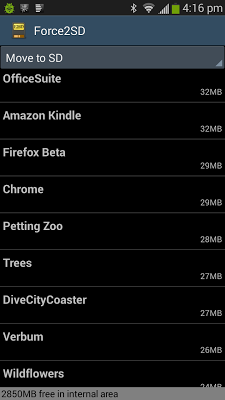
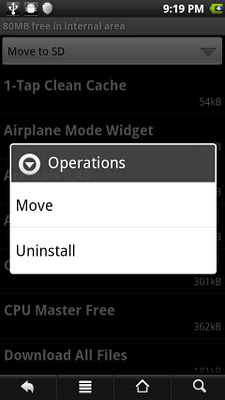
Popis: This app needs a rooted device that supports moving apps to SD. Use at your own risk. For a free trial, download the lite version.
Screen:
Vice info:
Kód: Vybrat vše
https://play.google.com/store/apps/details?id=mobi.pruss.force2sdKód: Vybrat vše
http://ul.to/nt71gebm
https://www.tusfiles.net/caonkd5gzh6w
http://ulozto.cz/xbvQ8Pzx/force2sd-root-v1-26-apk
http://ulozto.net/xr7YEw87/force2sd-root-v1-26-apkYou can also move applications back, and sort alphabetically or by apk size.
By default (you can turn this off) Force2SD will also scan for orphan app files on your SD card when starting. Sometimes, the system fails to delete the app file on the SD card when the app is uninstalled. If any orphan files are found, you will be asked if you want to delete them. This may help with some reboot issues.
Note 1: Applications moved to SD card / external storage will not get an on-boot signal when the device is booted up. So, do not move applications that need to perform some operations on boot. Of course, you should always be able to move these applications back if you're having problems.
As a bonus, if you don't want an application starting up on boot, you can use Force2SD to move it.
Note 2: After a reboot, it make take a while (even a couple of minutes) for the OS to show up the icons of apps that have been moved. That is normal--that's how the OS's apps-on-SD feature works.
Note 3: Some protected apps cannot move.
Note 4: The first time you start the app, it will do a slower scan of applications.


