


42,-KC
Požadavky: Android 4.0 a vyšší
Popis: Kalkulačka s hlasovým vstupem pro každodenní použití!
Screen:
Vice info:
Kód: Vybrat vše
https://play.google.com/store/apps/details?id=com.atnsoft.calculator&hl=enKód: Vybrat vše
http://hugefiles.net/vk0lxq1a4gx7
http://www.tusfiles.net/vptj4dcw8qre
http://turbobit.net/4mh565e4pr1y.html
http://ulozto.cz/xGygMdny/calculator-v1-0-6-apk
http://www67.zippyshare.com/v/84332401/file.html
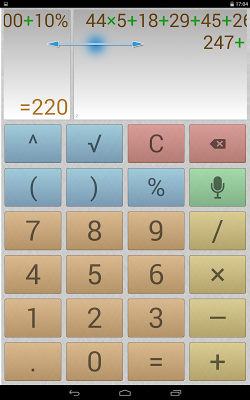
http://ulozto.net/xS9MdSRH/calculator-v1-0-6-apkSometimes you may need to make two or more calculations simultaneously. To do this, you can switch editing screens with a horizontal swipe along the top edge.
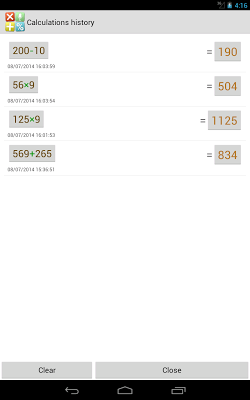
All calculations are recorded in the calculations history (simply click on the result field), from where you can insert the expression and result into the editor. Any record from the history can be tagged with text. These records can be instantly deleted with a horizontal swipe.
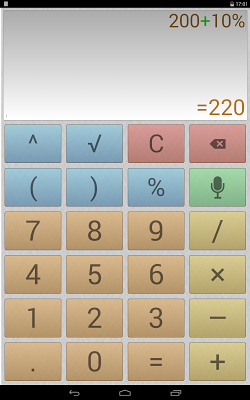
Execute mathematical operations with incredibly large numbers and expressions. Raise to the n-th power or extract the root of the n-th power. Percentage calculations (for example: 200 + 10% = 220).
Quickly switch themes.
Convenient, user-friendly settings that can be opened by swiping from the left edge of the screen or using a menu button. The settings include: vibrate on click, full-screen mode, keep screen on, and other options.
The result is always displayed naturally, without incomprehensible E's, dashes, and numbers.
Quickly copy the result to the clipboard (with a long press on the result field).
Easily work with many memory cells, and easily switch between them. You can set a name for each cell, letting you intuitively use the memory for a specific field of activity.


