



(55,- Kc)
Pozadavky: Android 4.3 a vyssi
Popis: Speaking full-screen notifications with MotoX "What's up?" like summary read-out
Screen:
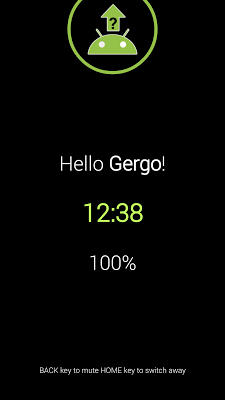
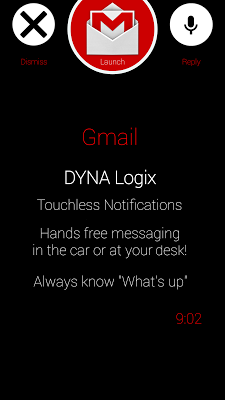
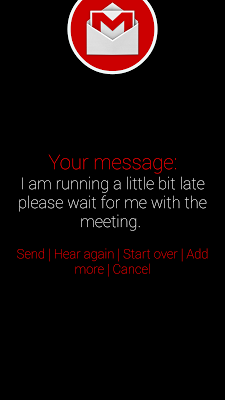
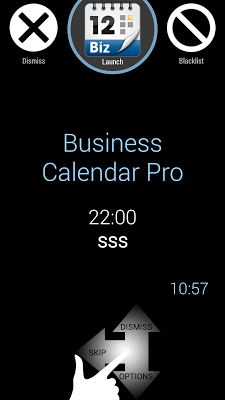
Video:
What's in this version:
2.06
►Google Inbox support
►Central OFF switch
2.05
►Option: blacklist new apps
►Omit app names (amount of detail)
►Message+ fix
2.04
►Log
►battery++
►blacklist by text
►pronunciation dictionary
►Tasker plugin → http://youtu.be/mC9HmpxZR_w
2.00
►swipe down actions
►reply by voice
Vice info:
Kód: Vybrat vše
https://play.google.com/store/apps/details?id=hu.viczian.notifications.proKód: Vybrat vše
https://userscloud.com/zop8f4y5tbob
http://ul.to/jnwowmjt
http://www17.zippyshare.com/v/28276797/file.html
http://uploadrocket.net/i4wvzg0r53re
http://uloz.to/xFqTEQYX/touchless-notifications-pro-v2-06-apk
https://webshare.cz/file/7f24Ro42H5/touchless-notifications-pro-v2-06-apk
►Support an independent app developer who is devoted to creating apps which put YOU in control
►Personalize how Touchless Notifications will greet you, or turn off the greeting. The FREE edition let's you change the greeting, but it will only be used in the test announcement (in settings)
►No notification icon in top bar
►Locale / Llama / Tasker plugin → tutorial: http://youtu.be/mC9HmpxZR_w
►Touchless Notifications FREE will sometimes remind you to get the PRO version
►More FREE features may be moved to the PRO version in the future
--
HANDSFREE NOTIFICATIONS
►Speaks and displays your incoming notifications full screen while you're driving or at your desk
►Speaks your notifications when you have your headset or headphones on
(similar to "Talk to me", Drive Link, Enhanced SMS & Caller ID, ReadItToMe but with full screen display)
GET A SUMMARY READ-OUT OF PREVIOUSLY MISSED NOTIFICATIONS
When you
►start driving
►connect headphones
►say a Google Voice Search command "Open my notifications"
►plug or unplug charger
→Keeps track of what's been announced
(similar to the new "What's up" feature in Moto X "Moto Voice" Touchless Controls
VOICE REPLY TO MESSAGES
►Works with any messaging app
►90% hands free
INTERACT WITH THE FULL SCREEN NOTIFICATIONS
►Swipe to skip, pause, dismiss or launch the app
►Shake
►or wave at phone to mute
FINE TUNE WHAT'S INCLUDED IN THE SUMMARY
►Greeting text (see PRO benefits ↑↑↑)
►Time
►Battery
►Ambient temperature (Note3, S4)
►Blacklist apps
►Amount of details read (even expanded notification text)
CONTROL THE EXPERIENCE WITH OPTIONS
►speech engine, rate
►dual language speech with language detection (primary language=English!)
►mark apps which use your other language!
►pause or duck music
►pocket sensing
►Great out of the box, but may be fine tuned to the extreme... Quick ↔ Advanced settings
Built-in user guide: http://notifications.dataglobe.eu + Tour Wizard!
HI GALAXY
►Say "Hi Galaxy" on certain Samsung phones if S for Switch Voice PRO is installed and configured to start Touchless Notifications (see http://goo.gl/WBkXXk in the Play Store)
ALL NOTIFICATIONS WORK
►GMail (from/subject + body ~ optional/shortened)
►SMS
►Hangouts not just the first line
►Calendar
►Calls
►Google Now updates (weather, time to home etc.)
:
►Every and any app's textual notifications which you don't specifically exclude


