Timeline clock Smartwatch 2
Napsal: 19. 01. 2015 20:07
Timeline clock Smartwatch 2 v1.0
(20,- Kc)
Pozadavky: Android 4.0 a vyssi
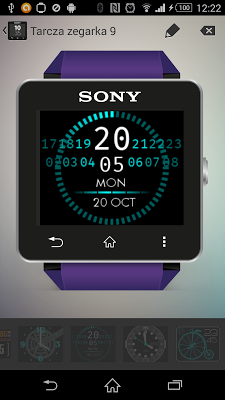
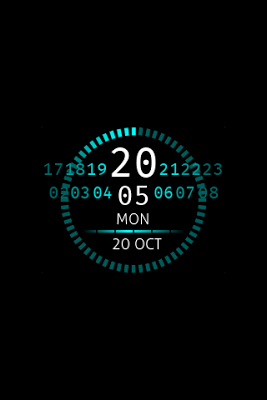
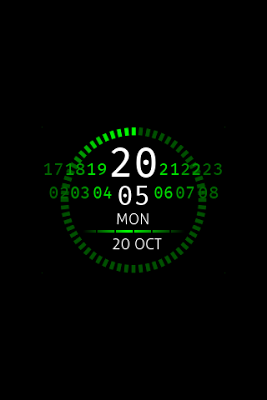
Popis: The application is a replacement for regular Smartwatch SW2 watch faces. It supports low power mode, however may increase power consumption slightly.
Screen:
What's in this version:
- na GP se neuvadi
Vice info:
Stahuj zde:


Installation:
- Open the SmartWatch 2 app,
- edit watch faces,
- create a new watchface,
- click 'clocks',
- choose the watchface you've just installed,
- enjoy
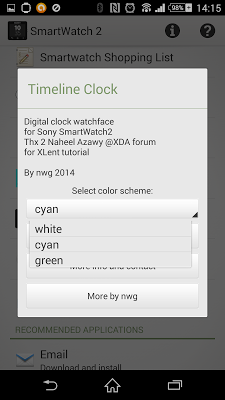
How to change the color set:
- Open the SmartWatch 2 app,
- find Timeline clock,
- select the color scheme in preferences,
- get back, switch to another watch face, and back to the Timeline clock.
(20,- Kc)
Pozadavky: Android 4.0 a vyssi
Popis: The application is a replacement for regular Smartwatch SW2 watch faces. It supports low power mode, however may increase power consumption slightly.
Screen:
What's in this version:
- na GP se neuvadi
Vice info:
Kód: Vybrat vše
https://play.google.com/store/apps/details?id=com.nwg.sw2.timeline.clockKód: Vybrat vše
http://uloz.to/xR4BxpZu/timeline-clock-smartwatch-2-v1-0-4allmobile-eu-apk
http://ulozto.sk/xpPjbqXT/timeline-clock-smartwatch-2-v1-0-4allmobile-eu-apk
https://webshare.cz/file/4tf3Ji71M1/timeline-clock-smartwatch-2-v1-0-4allmobile-eu-apk
https://webshare.cz/file/4tf3Ji71M1/timeline-clock-smartwatch-2-v1-0-4allmobile-eu-apk
http://www54.zippyshare.com/v/pLVtvwys/file.html
https://userscloud.com/8iga01shvz5y
Installation:
- Open the SmartWatch 2 app,
- edit watch faces,
- create a new watchface,
- click 'clocks',
- choose the watchface you've just installed,
- enjoy
How to change the color set:
- Open the SmartWatch 2 app,
- find Timeline clock,
- select the color scheme in preferences,
- get back, switch to another watch face, and back to the Timeline clock.