



(124,- Kc)
Pozadavky: Android 2.2 a vyssi
Popis: Mobile Access for Outlook OWA provides a streamlined, user friendly interface to access your Microsoft Outlook Web Access email via OWA. Your emails and images are displayed conveniently on your mobile device, and the application has a simple and easy to use interface, much like that of the gmail application.
Screen:
Video:
What's in this version:
v3.2.1
- Changed to select language on Preferences -> Display
- Added support for HTML formatting when composing a message (EWS only)
- Fixed support upload photo attachment from Google Drive
v3.2
- Fixed calendar update problem
- Added multi-language support
v3.1.14
- Fixed update problem out of office function
- Fixed edit and send problem with Draft mail
Vice info:
Kód: Vybrat vše
https://play.google.com/store/apps/details?id=com.dotcreation.outlookmobileaccessliteKód: Vybrat vše
http://uloz.to/xr4c5LPK/mobile-access-for-outlook-owa-v3-1-14-4allmobile-eu-apk
http://ulozto.sk/xzDMBHV5/mobile-access-for-outlook-owa-v3-1-14-4allmobile-eu-apk
https://webshare.cz/file/7Ih2Kx13h2/mobile-access-for-outlook-owa-v3-1-14-4allmobile-eu-apk
Mobile Access for Outlook OWA provides a streamlined, user friendly interface to access your Microsoft Outlook Web Access email via OWA. Your emails and images are displayed conveniently on your mobile device, and the application has a simple and easy to use interface, much like that of the gmail application.
Automatically log in to your account and notifications appear to keep you informed as to when new emails arrive. Simple and clear icons make it easy to carry out functions like: Read, reply, reply to all and mail forwarding etc.
Quickly share your photos and media on your device just as you would using social media tools like facebook and twitter, as a link to Mobile Access for Outlook OWA appears in your share list.
Actions are not carried out until your next synchronization or by hitting ‘refresh’, giving you the chance to undo your last actions if you happen to change your mind.
Some of the features Mobile Access for Outlook OWA lets you do include:
- read and reply to emails
- check emails on different folders
- download and upload attachments
- move email items between mail folders
- select multiple email items to delete or move to your other folders
- respond to invitations and meeting requests
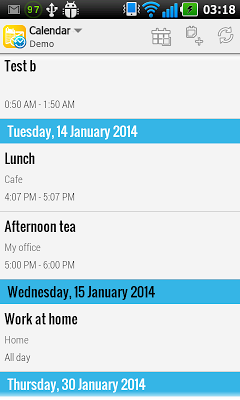
- view calendar appointment or meeting schedule
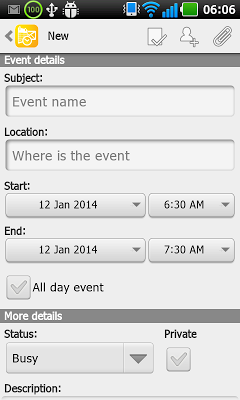
- create / edit / delete appointment or meeting
- appointment / meeting notifications
- email notifications (support multiple labels)
- create, delete and rename label
- customize settings
- multiple accounts supported
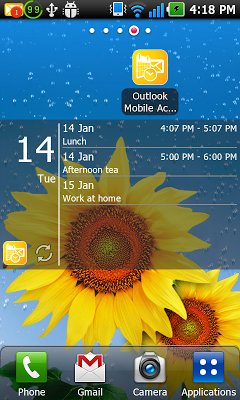
- mail or calendar widgets


