



(30,- Kc)
Pozadavky: Android 2.3.3 a vyssi
Popis: This app records video in background while your device is blocked or other app is running.
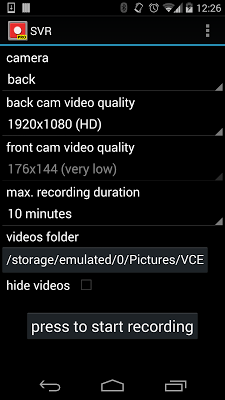
Record with back or front camera.
Screen:
Video:
What's in this version:
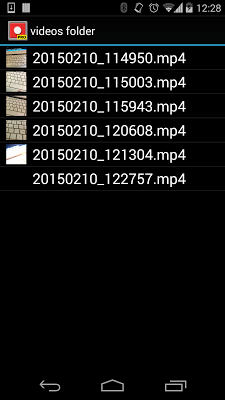
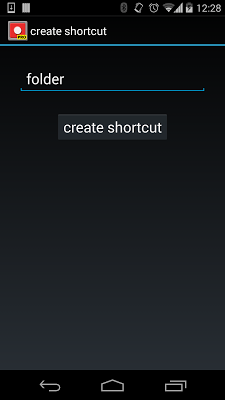
new ui compatibitlity for android 4+, action bar displayed with create shortcut and open videos folder, you can watch the videos from inside the app
Vice info:
Kód: Vybrat vše
https://play.google.com/store/apps/details?id=com.sanchezpaus.stealthycamproKód: Vybrat vše
http://uloz.to/xd9qv9K1/spy-video-recorder-pro-v3-0-0-www-4allmobile-eu-apk
http://ulozto.sk/xotrhqo4/spy-video-recorder-pro-v3-0-0-www-4allmobile-eu-apk
https://webshare.cz/file/4PQ6uvbJ34/spy-video-recorder-pro-v3-0-0-www-4allmobile-eu-apk
This app records video in background while your device is blocked or other app is running.
Record with back or front camera.
You can make and receive phone calls while recording (Some devices record the conversation).
You can use others applications while recording.
The device does not plays any sound when the recording starts or stops (Some devices do not support this depending on your country laws)
You can choose the folder where you want to save your videos.
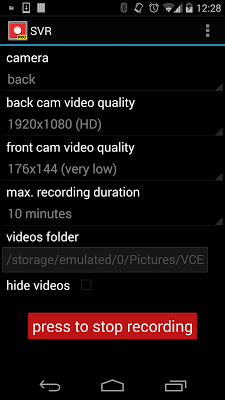
The app creates an icon called "folder" in your desktop , pressing that icon starts or stops the recording, only you know that the device is recording . A notification appears at the top left corner of the screen while recording.
You can delete the shortcut, and if you need it afterwards, you can create another one .
Open the destination folder of the video recordings and watch inside the app, in menu > open folder
This app allows you to make video recordings and the people around will not notice it. Once the recording is started you can use the others app in your phone, even receive and make phone calls, or lock the screen. The device does not plays any sound, you only notice the start or stop recording when you have it in your hand with a little vibration.
First of all make sure that you choose a camera resolution supported by the camera you have choosen, otherwise the recording could fail.You can check it in you device specifications.


