


276,-Kc
Požadavky: Android 3.0 a vyšší
Popis: G-NetLook Pro is a tool for visualization and analysis of mobile network.
Screen:
Vice info:
Kód: Vybrat vše
https://play.google.com/store/apps/details?id=com.gyokovsolutions.gnetlookpro Kód: Vybrat vše
http://ulozto.cz/xrgMtXr9/g-netlook-pro-v2-6-4allmobile-eu-zip
http://ulozto.net/xG9zNcSq/g-netlook-pro-v2-6-4allmobile-eu-zip
https://webshare.cz/file/5md2l326r3/g-netlook-pro-v2-6-4allmobile-eu-zip
With it you can open and analyze G-NetTrack logfiles and visualize cells and neighbor relations.
G-NetLook Pro is an enhanced version of G-NetLook with many more features.
See video demo here -http://www.youtube.com/watch?v=vTaphsm0pOE
With G-NetLook Pro you can open and analyze G-NetTrack logfiles and visualize cells and neighbor relations.
Site data and log data can be loaded from local files or from G-NetWorld web service.
---Local data---
How to load cell data:
1. open the app
2. press Menu - Load Data ( the cell and neighbors files - cellfile.txt or cellfile.clf and neifile.txt should be located in [SDCARD]/G-NetLook/celldata
3. There are two ways to select a cell and visualize its neighbors
- search for cellname
- tap on the middle of cell line or cell label to show info window showing cellname and then tap on the info window.
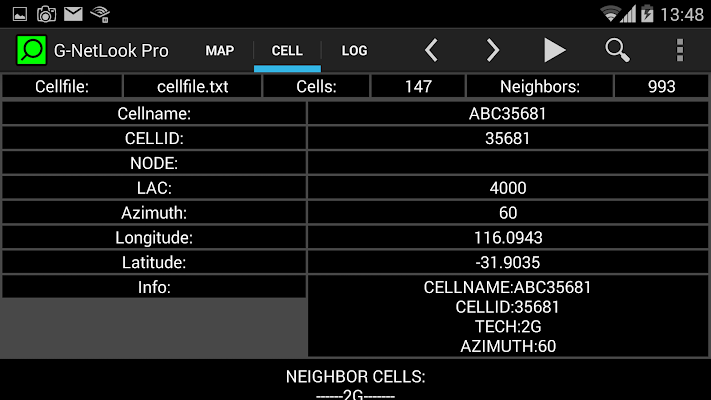
4. On CELL tab you can see cell data and its neighbor cells
How to load log data from logfile:
1. Open the app
2. Press Menu - Load Logfile. Browse to logfile and select it.
3. Once the file is loaded you can play, pause or step forward and backward through it with help of navigation buttons.
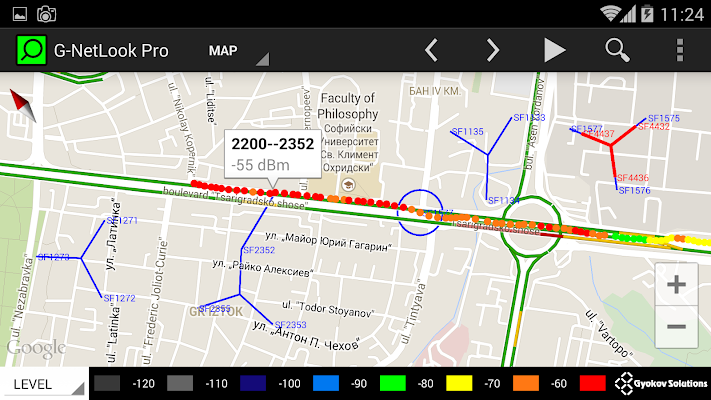
4. Using drop down menu you can change thematic maps (LEVEL, QUAL, CELL, SNR, CQI, DLBITRATE, ULBITRATE, PING, SPEED, ALTITUDE, NEIGHBOR LEVELS etc...)
5. On tab LOG you can see the data for selected point.
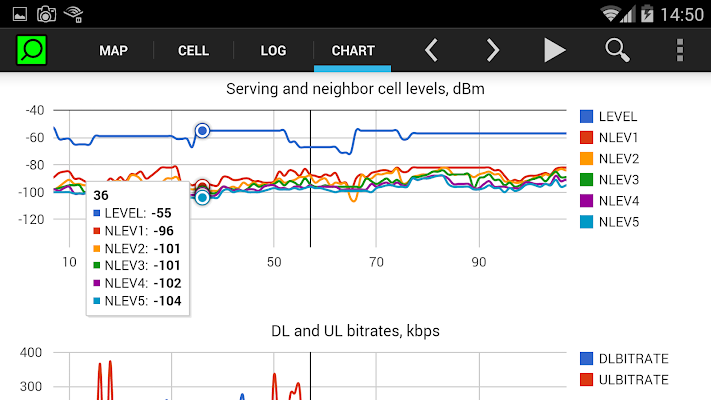
6. On CHART tab you can see charts with measurements. Zoom in/out with the buttons.
---G-NetWorld data---
How to load cell data:
1. Menu - Load G-NetWorld Site Data
2. Select MCC, MNC and technology
3. Press "Load Sites"
How to load logdata:
1. Menu - Load G-NetWorld Log Data
2. Select MCC, MNC, technology, start and end date and other criterias
3. Press "Load"


