WiFi File Server Pro
Napsal: 05. 12. 2016 19:12
WiFi File Server Pro v1.2.3
20,-Kc
Požadavky: Android: 1.6 a vyšší
Popis: The only one WiFi File transfer / sharing utility (in Play Store) with HTTPS support that encrypts the content and makes content transfer safer in open WiFi networks.
Screen:
Vice info:
Stahuj zde:
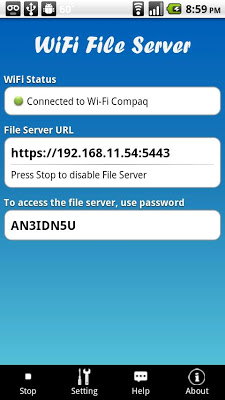
Using WiFi File Server, you can browse and manage the files and folders of your mobile devices via WiFi and a web browser. No USB cable needed any more when WiFi is available.
WiFi File Server can use HTTPS transport that encrypts the content transferred, and prevent someone on the same local network from eavesdropping your sensitive information.
Feature list:
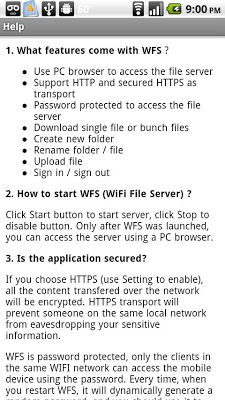
1. Support HTTP (default transport) and HTTPS
2. Password protected to access file server
3. Using a web browser, you can browse and manage all the files and folders of your Android device via WiFi
4. Download single file or multiple files (zipped) with one click
5. Download folders
6. Upload file, and process view & time estimate
7. Delete files or folders
8. Create new folder
9. Rename file or rename folder
10. Enhaced security. If you sign in WFS, and leaves your browser idle over 30 minutes, WiFi File Server will time out the session to prevent other people from using your machine/browser to access WFS.
11. The password is dynamically generated for better security. Define your own fixed password is also available.
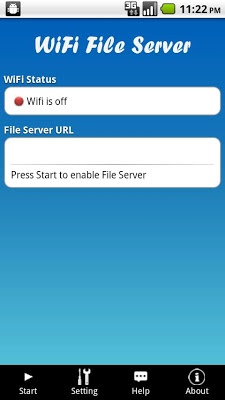
12. Start / stop / shutdown WiFi File server
20,-Kc
Požadavky: Android: 1.6 a vyšší
Popis: The only one WiFi File transfer / sharing utility (in Play Store) with HTTPS support that encrypts the content and makes content transfer safer in open WiFi networks.
Screen:
Vice info:
Kód: Vybrat vše
https://play.google.com/store/apps/details?id=com.mins.wfm.activityKód: Vybrat vše
https://dropapk.com/rv0l350qhurc
http://userscloud.com/8tgwb2e0mw5k
https://ulozto.cz/!JXszvlxVlCg0/wifi-file-server-1-2-3-apk
https://ulozto.net/!O5gwKnX2wo0B/wifi-file-server-1-2-3-apk
https://webshare.cz/file/2ka1lw4795/wifi-file-server-1-2-3-apkWiFi File Server can use HTTPS transport that encrypts the content transferred, and prevent someone on the same local network from eavesdropping your sensitive information.
Feature list:
1. Support HTTP (default transport) and HTTPS
2. Password protected to access file server
3. Using a web browser, you can browse and manage all the files and folders of your Android device via WiFi
4. Download single file or multiple files (zipped) with one click
5. Download folders
6. Upload file, and process view & time estimate
7. Delete files or folders
8. Create new folder
9. Rename file or rename folder
10. Enhaced security. If you sign in WFS, and leaves your browser idle over 30 minutes, WiFi File Server will time out the session to prevent other people from using your machine/browser to access WFS.
11. The password is dynamically generated for better security. Define your own fixed password is also available.
12. Start / stop / shutdown WiFi File server