


Požadavky: Android 2.2+
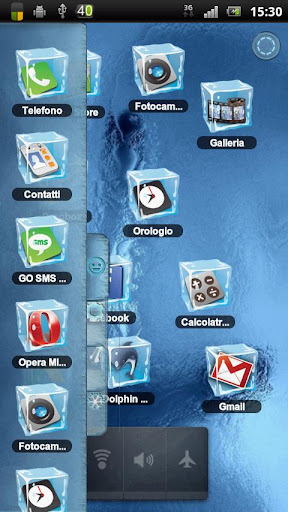
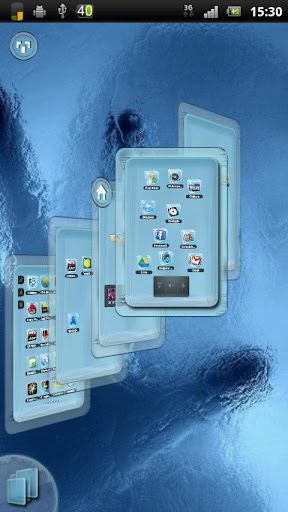
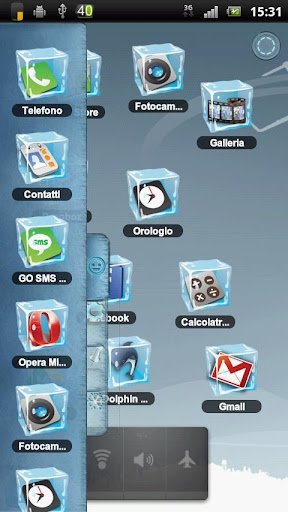
Popis:
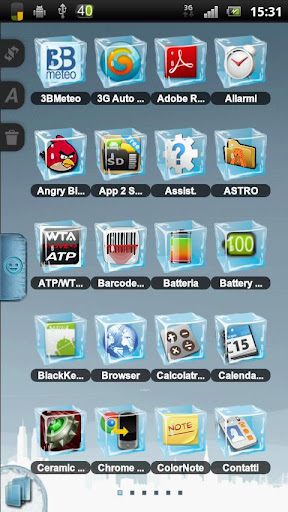
New HD version of Ice Cube Theme.
INSTALL:
1-Download Ice Cube Theme from google play.
2-Install Ice Cube Theme and click DONE.
3-Open TSF Shell menu and select Theme.
4-Click on Ice Cube Theme and apply.
5-If you want change wallpaper you can find it on TSF Wallpaper.
IMPORTANT:
The icon have two layer, one back and one up. Select the voice Icon from TSF Shell left menu and tap on right icon up.
Theme doesn't show on 4.1.1
Další info:
Kód: Vybrat vše
https://play.google.com/store/apps/details?id=com.tsf.shell.themes.icecubeKód: Vybrat vše
http://www27.zippyshare.com/v/14800057/file.htmlKód: Vybrat vše
http://www.embedupload.com/?d=9WUMYNEGRY
http://uploadmirrors.com/download/1IHR6NK3/Ice_Cube_HD_TSF_Shell_Theme_v3.4.apk
http://www.uloz.to/xDKDAJu/ice-cube-hd-tsf-shell-theme-v3-4-apk


