


50,-kc
Požadavky: Android 4.0.3
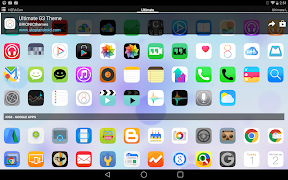
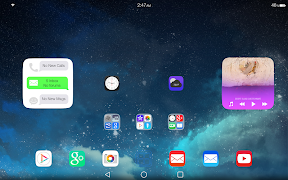
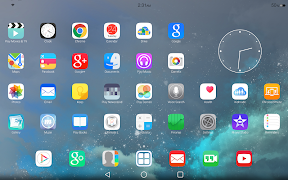
Popis: Ultimate iOS8 is a brand new theme for Android launchers with included widgets.
Screen:
Vice info:
Kód: Vybrat vše
https://play.google.com/store/apps/details?id=brionicthemes.ultimate.ios8.icons.themeKód: Vybrat vše
http://ul.to/frt1jps8
https://www.tusfiles.net/fo0yr7bedwh5
https://webshare.cz/group/6788I2r02O/
http://ulozto.cz/xhYau76z/ultios8-v1-3-apk
http://www.oboom.com/99YXO4C5/UltiOS8.v1.3.apkULTIMATE iOS8 LAUNCHER FEATURES:
Includes over 2,500 exclusively designed custom icons!
All icons designed in full XXX-HDPI resolution for highest definition and quality
Dynamic calendars that automatically change to current date, custom designed for stock calendar, Google Calendar, and Today Calendar (for Nova Launcher Beta and other launchers with dynamic calendar support)
Over 20 ultra high definition custom wallpapers with support for Blink and Muzei Live Wallpaper
Matching Ultimate iOS8 SoftKeyz also available
Also includes Ultimate iOS8 Analog Clock Widget
ULTIMATE iOS8 WIDGET FEATURES: instructions below..
Three Ultimate iOS8 Status Bars to choose from (available in black, white, and grey) - for Zooper Widget Pro
Six Ultimate iOS8 Music Concept Widgets to choose from (for Zooper Widget Pro)
Two Ultimate iOS8 Messaging Center Concept Widget (for Zooper Widget Pro)
Ultimate iOS8 Weather and Calendar widgets in the works!
DIRECTIONS & INSTRUCTIONS:
This is a theme (like a skin), you must apply it using Apply section of Ultimate iOS8 app, or you can apply it manually using launcher settings.
Ultimate iOS8 supports nearly every launcher with FULL support for: Nova, Aviate, Apex, Next 3D (with 3D scene mode support), TSF Shell, GO, Inspire, Solo, Smart, ADW, Action, Holo, Atom, Lucid, KK Launcher, and most others.
Ultimate iOS8 also supports Unicon, allowing you to apply icon pack to any launcher (including Google Now Launcher or stock launchers like BlinkFeed)
If needed, additional theme application instructions are listed on support website or in Help section of Ultimate iOS8 app.
To change wallpaper using built-in wallpaper manager: Press Menu > Wallpaper > Scroll to Ultimate iOS8 Wallpaper > Select wallpapers > Apply
To change wallpaper using Muzei Live Wallpaper: Open Muzei, select Customize > Choose source > Ultimate iOS8, press Settings icon to choose categories > Press checkmark to apply
TIP: You can also download wallpaper to your device to add parallax effects (use 3D Live Wallpaper or similar app)
To add Ultimate iOS8 Analog Clock Widget:
Press Menu > Widgets > Scroll to UltiOS8 Clock > Select and resize using your launcher
To add Ultimate iOS8 Widget:
Download Zooper Widget Pro from Google Play, add Zooper widget to homescreen, tap widget and select Ultimate iOS8 from list. Adjust widget size and scaling according to whichever widget you select.
To use Ultimate iOS8 Music Concept widget, download Media Utilities (Beta) app from Google Play, select Settings > Application Integration: Zooper > Experimental features: Make coverart available


