



(20,- Kc)
Pozadavky: Android 2.2 a vyssi
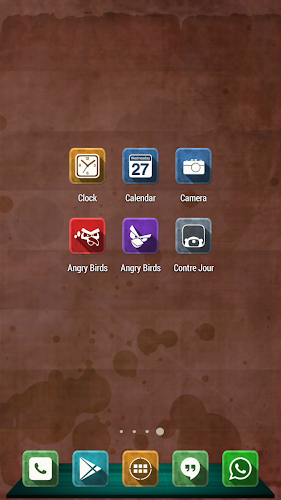
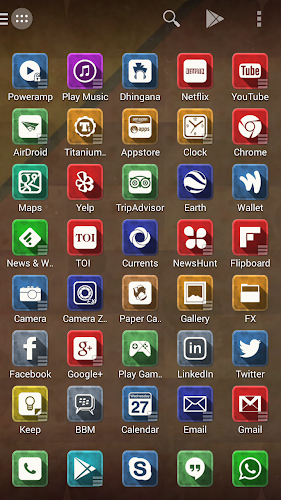
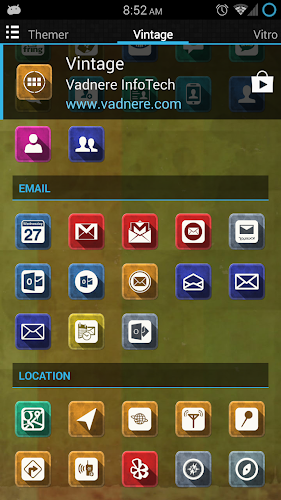
Popis: Roll back to old memories with vintage look on your phone with 1200+ HD icon pack (144x144px) designed for Go, Nova, Apex, Next, Smart, ADW, Action, Holo, True, Epic, Solo, Atom, Dodol, Unicon (Icon Themer), TSF Shell (Icons) and many more popular launchers.
Screen:
What's in this version:
1/23/2014:
Epic, Solo, Atom, Dodol, Unicon (Icon themer), TSF Shell (Icons only) launcher support added
Fixed app activities
Get Vintage theme for TSF Shell
1/12/2014:
Next launcher support added
Fixed tons of app activities
1/7/2014:
Added 24 icon background colors for (other than 1200) icons not present in this theme
Vice info:
Kód: Vybrat vše
https://play.google.com/store/apps/details?id=com.vadnere.vintagethemeKód: Vybrat vše
http://www.kingfiles.net/7d6s0l9vol54/Vintage_1.5.0.apk
http://ul.to/lizsndi7
http://unlimitzone.com/c2dr7fl718fd/Vintage_1.5.0.apk.html
http://www.tusfiles.net/jxpmttsqut82♦ 1200+ icons
♦ 24 icon background colors
♦ 10 custom HD wallpapers
♦ 3 Dock icons (Go, ADW, Nova)
♦ Most requested icon updates
♦ Supports Go, Nova, Apex, Next, Smart, ADW, Action, Holo, True, Epic, Solo, Atom, Dodol, Unicon, TSF Shell (Icons) and many more launchers
THEME USAGE:
♦ Go Launcher
- Themes > Installed > 'Vintage' > Apply
♦ Nova Launcher
- Nova Settings > Look & Feel > Icon Theme > 'Vintage'
♦ Apex Launcher
- Apex Settings > Theme Settings > 'Vintage' > Apply
♦ Next Launcher
- Theme > Installed > 'Vintage'
♦ Smart Launcher
- Preferences > Theme Setting > 'Vintage'
♦ ADW Launcher
- ADW Settings > Themes > 'Vintage' > Apply
♦ Action Launcher
- Settings > Display > Icon pack > 'Vintage'
♦ Holo Launcher
- Launcher Settings > Appearance > Icon Pack > 'Vintage'
♦ True Launcher
- True Settings > Themes > 'Vintage'
♦ Epic Launcher
- Settings > Look & Feel > Icon theme > 'Vintage'
♦ Solo Launcher
- Solo Settings > Appearance > Solo Themes > Installed > 'Vintage'
♦ Atom Launcher
- Theme Settings > 'Vintage' > Apply
♦ Dodol Launcher
- Theme > 'Vintage'
♦ TSF Shell
- Settings > Themes > Themes mix > Icon > 'Vintage'
DOCKS USAGE:
♦ Nova Launcher
- Nova Settings > Dock > Dock Style > Background > 'Vintage'
- Recommended to set Nova Dock Height to Large
- Nova Settings > Dock > Dock Height > Large
♦ Go Launcher
- Go Preferences > Dock background > Go Theme background > 'Vintage'
♦ ADW Launcher
- ADW Settings > Themes > Customize > Main Dock > Custom > 'Vintage'


