



Požadavky: Android 1.6+
Popis:
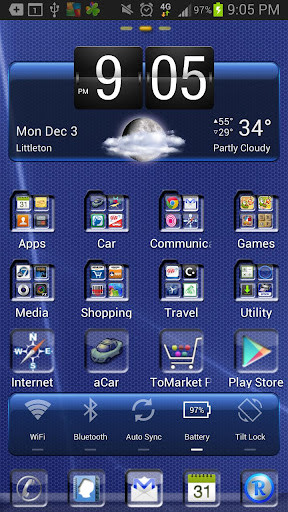
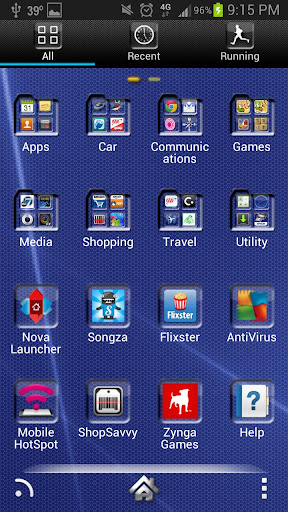
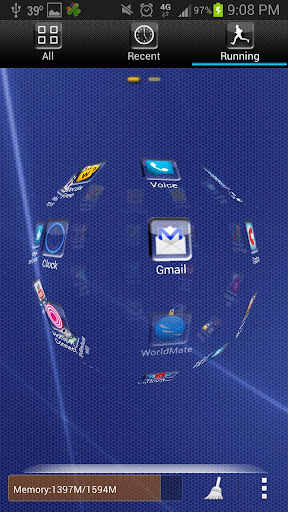
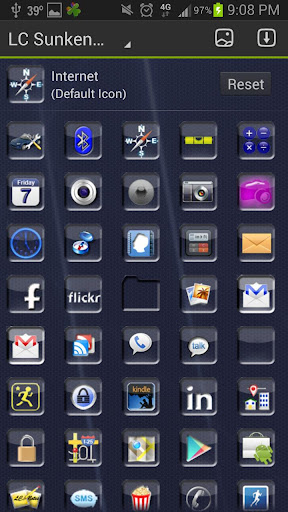
This is a theme for Apex Launcher, Nova Launcher or Go Launcher EX it features custom icons and wallpapers.
For Go Launcher it has custom menus and folders. It works on tablets and supports larger icons, see Theme tips below.
Screen shots are using a 5 x 4 grid. (Menu → Preferences → Screen settings → Grid size) taken on Go Launcher.
If you find bugs or have suggestions, Please do not post them as comments as I cannot reply to those and solve your issue.
INSTALLATION:
Make sure Nova Launcher or Go Launcher EX is compatible with your device and runs on your device before downloading.
Apex Launcher: Go to Apex Settings → Theme Settings → select the LC Sunken Glass theme you just installed.
Nova Launcher: Go to Nova Settings → Look and Feel → select the icon pack of the LC Sunken Glass Theme you just installed.
Go Launcher EX: Go to Themes → Installed → Select the LC Sunken Glass Theme you just installed and press the Apply Button.
THEME TIPS:
Nova Launcher / Go Launcher EX is required to run.
Themes cannot be run directly, you must apply the theme from a launcher. See instructions in the INSTALLATION section.
GO LAUNCHER THEME TIPS:
Make sure Nova Launcher or Go Launcher EX runs on your device before installing
If the icons do not update --> Quit Go Launcher and then start it again. --> Also make sure if you have apps on the SD card that the SD card is mounted. If this does not work, uninstall the theme and download and install it again. You will not be charged.
Go Launcher Sphere Effect: To enable the sphere effect as seen on the different themes, go to Go Launcher Preferences --> Effect Settings --> Select Horizontal or Vertical Scroll Effect --> select Sphere.
To move to the SD card you must be running Android OS 2.2 or higher.
To make icons larger go to Menu --> Preferences --> Visual Settings --> Icons --> Icons Size
Další info:
Kód: Vybrat vše
https://play.google.com/store/apps/details?id=com.lc.sunkenglassthemeKód: Vybrat vše
http://www11.zippyshare.com/v/21089313/file.htmlKód: Vybrat vše
http://www.embedupload.com/?d=0JCBCUBDQG
http://uploadmirrors.com/download/W9B0181O/LC_Sunken_Glass_Apex_Go_Nova_v1.01.apk


