



Pozadavky: Android 1.6 a vyssi
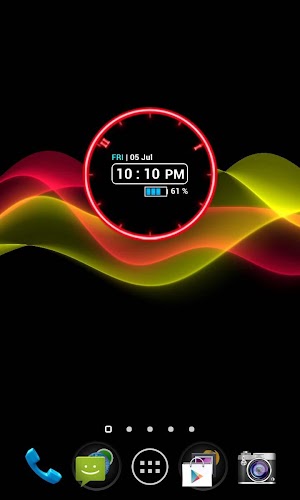
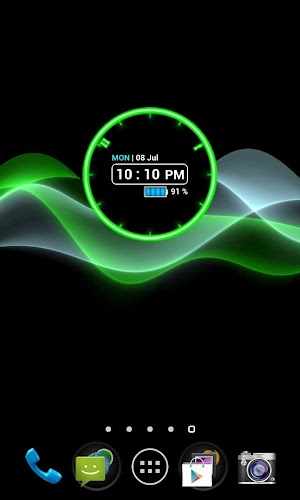
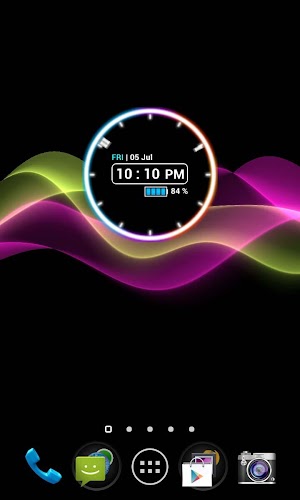
Popis: Neon look, glowing and great feel. Combination of analog and digital clock. Plus! It has complete yet useful additional information.
Screen:
Video:
What's in this version:
v5.2
+ Option to add the clock into lock screen for Android 4.2 and above
+ Shortcut for Sony Organizer
v5.1
+ Fix layout issue on some devices
For full track of changes, check our website.
Vice info:
Kód: Vybrat vše
https://play.google.com/store/apps/details?id=upper.duper.widget.glowingKód: Vybrat vše
http://www.tusfiles.net/lpwip7t223io
http://hugefiles.net/odq8zn0mm0vm
http://unlimitzone.com/wyivs435d9vw/NnCkF52.rar.html
http://www47.zippyshare.com/v/16630994/file.html
http://www.tusfiles.net/3q8yqq3y6wo5
http://uloz.to/xfBuJj7K/neon-clock-widget-full-v5-2-apk
http://ulozto.sk/xku2HaAq/neon-clock-widget-full-v5-2-apkI prepare 2 versions here. Free version and Full version.
If you like my work you can consider to treat me a cup of JAVA coffee to accompany me on sleepless night. (^.^) Haha just kidding...Just please consider to buy Full Version to support development. It would be at reasonable price.
On full version, you can have multiple clock shape and transparent widget on all themes! Make your clock widget even cooler!
Features:
1. Multiple Clock Shape : Circle, Square and Hexagon. (Full Version)
2. 9 Color Themes.
3. Transparent on every color themes. (Full version)
4. Digital reading of the clock.
5. Support both 12H and 24H format.
6. Date and Day display. Day will be in red color on weekends.
7. Enable shortcut to Alarm Clock.
8. Battery Level display. Blue when battery level is full, orange if in intermediate, and red color when battery in low level.
9. Battery charging indicator.
10. Option to add the clock into lock screen for Android 4.2 and above.
NB :
1. This is a widget not an application. Installation does not give you application on the drawer.
2. Tap on a widget to enter menu setting.
3. If battery level does not appear, just wait for a minute or two.
4. In case of Force Close, try to remove then add the widget back to home screen or reboot your device.
5. Avoid any task killer that may stop this widget.


