



(49,- Kc)
Pozadavky: Android 1.6 a vyssi
Popis: Beautiful next launcher theme. Please make sure that you have purchased and installed the latest version of the Next Launcher 3D.
Screen:
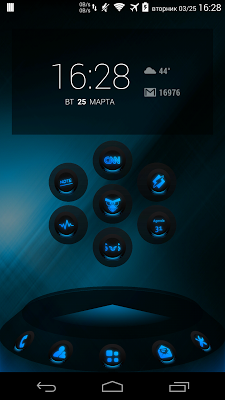
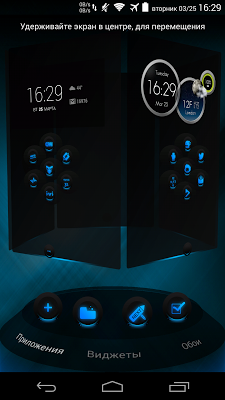
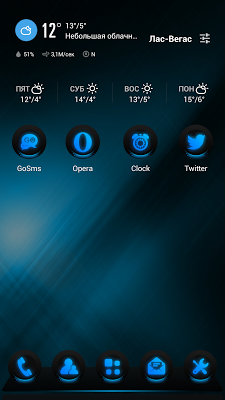
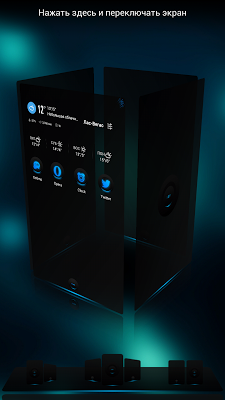
What's in this version:
version 1.2
+ Added support for 3D mode!
+ Fixed description on Google Play
+ Removed some unused items
+ Fixed bugs
If you like, leave its assessment on Google Play!
version 1.1
+ Added 30 new icons (to replace manually on the desktop)
+ Added a pop icon Smart Folder
+ Next indicator now circle
+ Removed translation languages (not needed)
+ Removed some unused items
Vice info:
Kód: Vybrat vše
https://play.google.com/store/apps/details?id=com.gtp.nextlauncher.theme.glowblueKód: Vybrat vše
http://uloz.to/xYaAApZu/next-launcher-theme-glowblue-v1-2-4allmobile-eu-apk
http://ulozto.sk/xgrmm2zx/next-launcher-theme-glowblue-v1-2-4allmobile-eu-apk
https://webshare.cz/file/77e2hm9B6t/next-launcher-theme-glowblue-v1-2-4allmobile-eu-apk
http://www39.zippyshare.com/v/RFjS3KzE/file.html
https://www.tusfiles.net/95tqimrz6rug
https://userscloud.com/v6m6j2vcgc7t
Installation in classical mode :
Press menu on your desktop - > Themes - > Phone -> Select theme GlowBlue.
Installation in 3D mode :
Switch Next Launcher to 3D mode -> click desktop menu -> select Themes - > Phone -> Select theme GlowBlue.
Installation recommendations:
1.If you don't see the theme, then after installation you must first apply the standard theme of the Next Launcher.
After that, the theme appears in the selection of themes
2 . If you don't correctly display a preview of desktops in a 3D mode, you need to dump settings of a launcher in a state by default (it is possible to make it in settings of a launcher, tab backup) and then to apply a theme
next launcher theme zt.art


