Flux Substratum Theme
Napsal: 23. 11. 2019 14:57
Flux Substratum Theme v5.2.5 [Patched]
44,-Kč
Požadavky: Android 7.0 a vyšší + Substratum Theme Engine + Root
Popis: Flux téma pro Substratum je navrženo s dokonalou přesností v pixelech, aby poskytlo vašemu telefonu zcela nový moderní vzhled a dojem! Díky vysoce kvalitní vektorové grafice a plným funkcím si užijete používání telefonu!
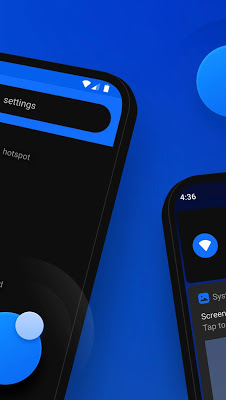
Screen:


Více info:
Stahuj zde:
Works with android 7.0/7.1.1 with OMS support. It also works on stock/legacy rom as well but some icons may not be themed.
Works with all DPI sizes!
Don't forget to rate and share if you like the theme!
Enjoy!
FAQ
• How to apply Flux overlays?
- Go to Substratum app, open the drawer, select defaults manager and then restore system theme. Now open Flux and select all overlays toggle, open floating action button and select Build & Enable.
• Having issues with notifications not displaying correctly?
- Restart and disable the dynamic notifications color in settings, if you have this option.
• After updating Flux, sometimes you may need to select overlays > build & update.
• Some of your settings icons are just blue circles?
- This happens because the rom you are using does not include the latest patches for the icons to be themed. You can contact your rom dev to fix this.
• If your rom has a dark mode option in settings, turn it off.
• Restart your phone after every update is highly suggested.
• More roms support will come with future updates.
• Updated your rom?
- Sometimes you need to remove and grand root permissions to apply overlays.
• Weird icons and background colors?
- Probably overlays did not apply correctly, try to re-apply and restart.
• Your phone stuck in boot loop?
- Go to your recovery and flash the rescue zips located in Substratum folder.
• Battery icon cannot be themed in qs panel.
• Don't forget you need to be connected to the internet to apply overlays.
44,-Kč
Požadavky: Android 7.0 a vyšší + Substratum Theme Engine + Root
Popis: Flux téma pro Substratum je navrženo s dokonalou přesností v pixelech, aby poskytlo vašemu telefonu zcela nový moderní vzhled a dojem! Díky vysoce kvalitní vektorové grafice a plným funkcím si užijete používání telefonu!
Screen:
Více info:
Kód: Vybrat vše
https://play.google.com/store/apps/details?id=flux.substratum.themeKód: Vybrat vše
https://dropapk.to/4xozofygdam3
https://upload.ac/lspsnvkyr4xc
https://uploadrar.com/wghhj7q973f6
https://www.uploadship.com/ed601b7c0128e658
Works with all DPI sizes!
Don't forget to rate and share if you like the theme!
Enjoy!
FAQ
• How to apply Flux overlays?
- Go to Substratum app, open the drawer, select defaults manager and then restore system theme. Now open Flux and select all overlays toggle, open floating action button and select Build & Enable.
• Having issues with notifications not displaying correctly?
- Restart and disable the dynamic notifications color in settings, if you have this option.
• After updating Flux, sometimes you may need to select overlays > build & update.
• Some of your settings icons are just blue circles?
- This happens because the rom you are using does not include the latest patches for the icons to be themed. You can contact your rom dev to fix this.
• If your rom has a dark mode option in settings, turn it off.
• Restart your phone after every update is highly suggested.
• More roms support will come with future updates.
• Updated your rom?
- Sometimes you need to remove and grand root permissions to apply overlays.
• Weird icons and background colors?
- Probably overlays did not apply correctly, try to re-apply and restart.
• Your phone stuck in boot loop?
- Go to your recovery and flash the rescue zips located in Substratum folder.
• Battery icon cannot be themed in qs panel.
• Don't forget you need to be connected to the internet to apply overlays.
